

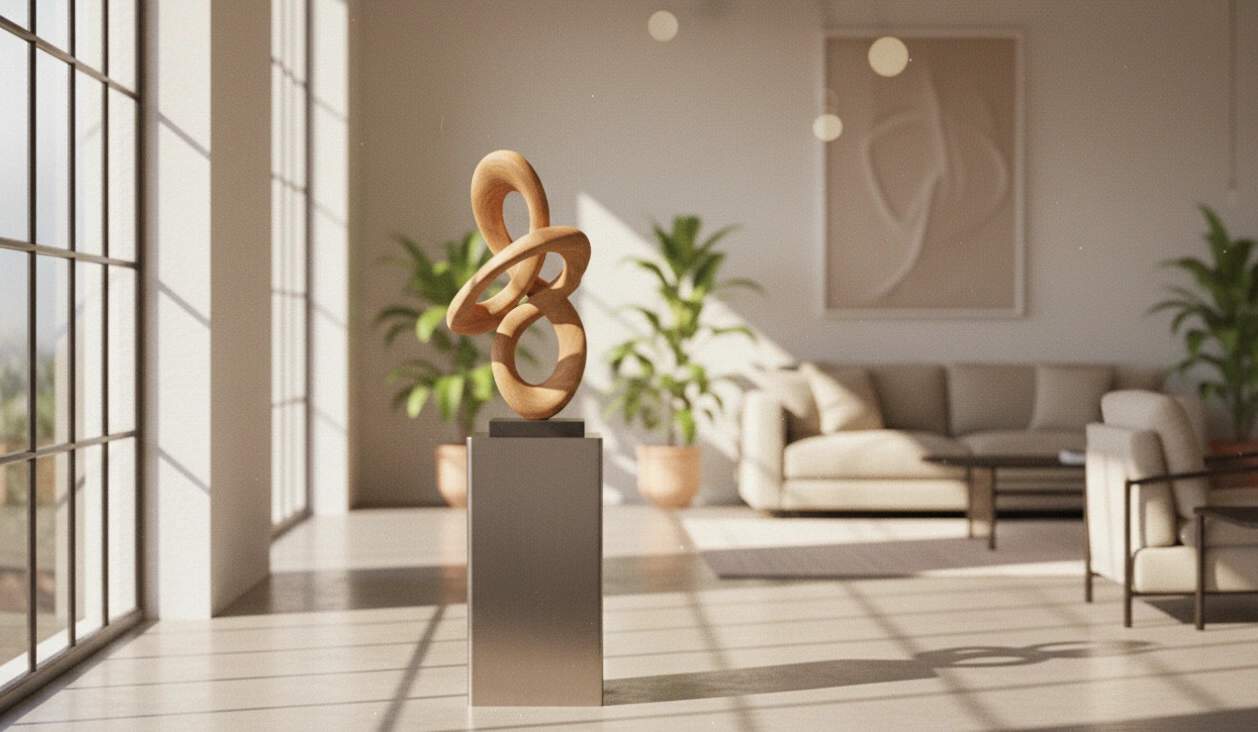
When 3D Scenes Come to Life…
Have you ever heard of the Photographer Blender Addon? You’re working on a scene in Blender, and nothing works how it should. Lights are flat, shadows are overly soft, focus on the subject. Things like Bokeh or Film Grain camera effects are always missing the mark; they’re never realistic.
You could spend hours on lighting and camera angles, only for the scene to still look unrealistic. This is the frustration that designers and animators face: “I want my scene to come alive naturally, but why does it still not resemble real photography?”.
Sometimes, you wish there was a shortcut—a tool that could effortlessly make lights and cameras realistic, get shadows and focus just right, and even make lens effects like Bokeh and Grain look authentic. The truth is, such a tool exists, and it can make your life in Blender much easier and your work more professional.

Lights and Cameras, but Real!
When working on a scene, realistic lights and cameras can work wonders. Professional lighting and camera tools do exactly what a real camera would. This means you can have natural depth of field, precise focus on your subjects, and add stunning lens effects like Bokeh, Chromatic Aberration, and Film Grain without hassle.
Its applications are clear:
- Architectural Rendering: Want buildings and spaces to look real? Natural light, correct shadows, and accurate reflections make your render look like an actual photograph of the structure.
- Character Animation: When your character moves, precise focus on key moments guides the viewer’s eye and keeps the scene alive.
- Advertising and Product Scenes: Even the smallest details, like the lighting on a product or background, give a realistic photography feel when accurately simulated.
This means you no longer need to spend hours struggling with complex settings or make extensive post-render corrections. The result is professional, natural, and visually captivating work that draws the viewer in.
How Does Vanilla Blender Handle This?
Without plugins or professional tools, Blender does offer basic features for lights and cameras. You can use Depth of Field, Focus Plane, environment or point lights, HDRI, and Emission, and with a few tricks, you can create simple lens effects.
But the problem is that everything is manual and time-consuming:
- Adjusting ISO, Aperture, and Shutter—simple and controllable in a real camera—is a real challenge in Blender without add-ons.
- Lens effects like Bokeh or Chromatic Aberration always feel incomplete and unrealistic.
- Managing multiple lights and cameras in a scene becomes extremely complex and can take hours to get right.
You see? Blender can do a lot on its own, but everything is slightly tricky and time-consuming, especially when aiming for a professional, natural result.
Photographer Blender Addon: Real Lights and Cameras, Hassle-Free
Let’s be honest: we all want our 3D scenes to look natural and alive, but vanilla Blender can’t handle some things effortlessly. That’s where the Photographer Blender Addon comes in. This plugin acts like a professional assistant, making everything simpler, faster, and more precise. With it, Blender’s lights and cameras behave like the real world, and the results are stunning.
1. Real Cameras and Lenses, No Complex Settings
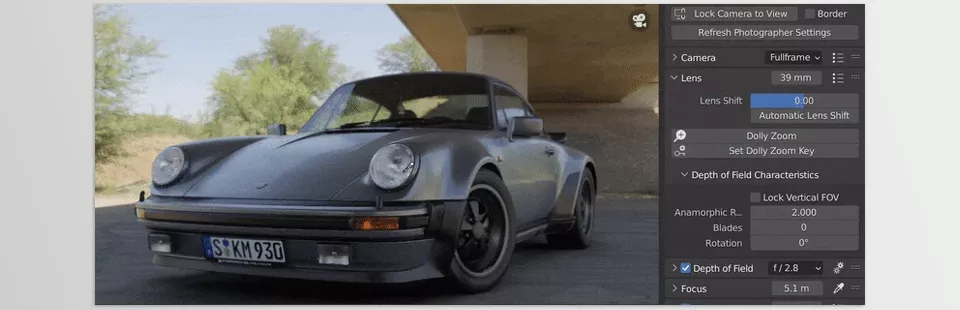
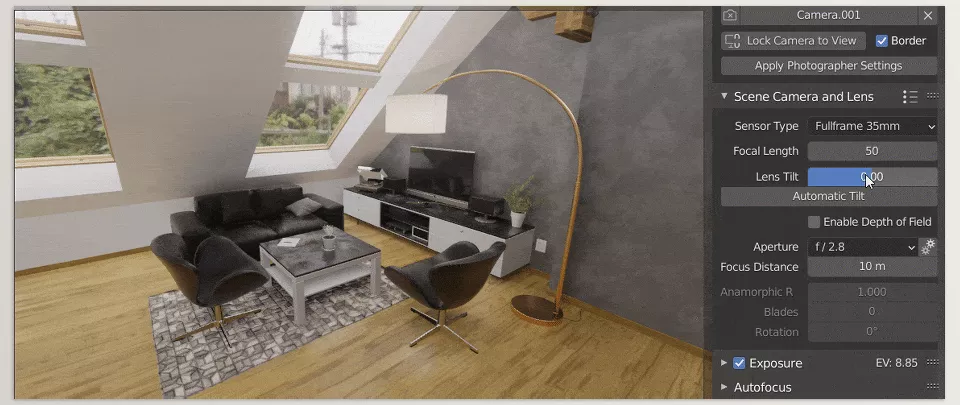
- Depth of Field and Auto Focus: Focus precisely on the subject that matters, without hours of manual adjustments.
- Professional Lens Effects: Bokeh, Film Grain, Chromatic Aberration, and even Distortion are all hassle-free. Your renders and animations now capture the exact feel of a real camera.
- Camera Position Saving and Management: Save multiple angles and camera positions, and easily switch between them without readjusting everything.
2. Professional and Realistic Lighting
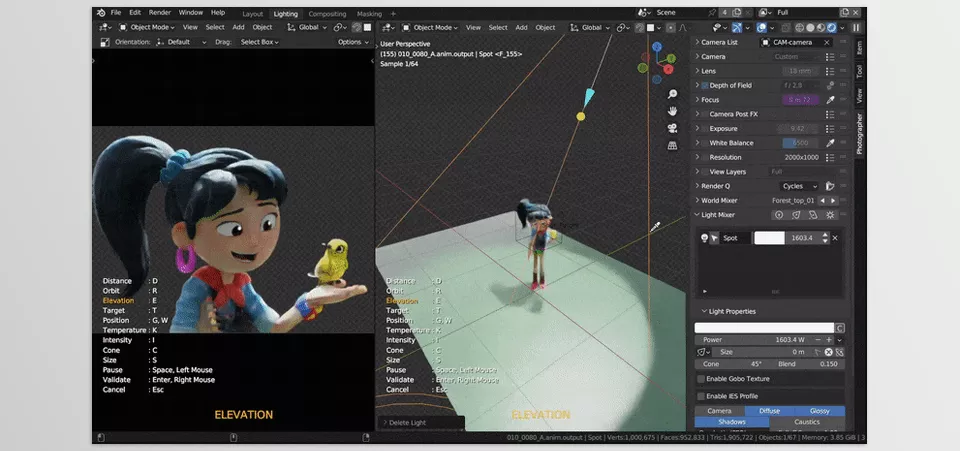
- Real Physical Lights: Units like Lumen, Lux, and Candela let you set lights exactly like in the real world, with precise color and intensity.
- Gobos and IES: Want interesting light patterns on walls or floors? Create natural light shapes with just a few clicks.
- Light Placement and Light Mixer: Place lights quickly on any object or character, and manage multiple lights simultaneously using the Light Mixer without hassle.
3. Scene and Render Management
- Collection Snapshots: Save different versions of the scene for quick switching or before-and-after comparisons.
- Render Queue: Output from multiple cameras automatically and save everything without rendering manually each time.
- HDRI and Emissive Materials: Precise control over environment lights and emissive sources makes renders realistic and visually appealing.
4. Practical Examples
- Architectural Rendering: Buildings, interiors, and shadows appear accurate and realistic without hours of light and camera tweaking.
- Character Animation: Key movements always stay in focus, and natural depth of field keeps the scene alive.
- Advertising and Product Scenes: Precise lighting and shadows, engaging lens effects, and even the tiniest product details appear real.
5. Why Photographer Blender Addon Makes Blender Life Easier
- Everything Happens Fast and Automatically: No more spending hours on lighting, cameras, or lens effects.
- Professional and Natural Results: Even with minimal experience, you can create captivating, realistic scenes.
- High Flexibility and Control: Cameras, lights, and environment settings are fully adjustable, and you can always switch between versions.
Pro Tips
Now that you know Photographer Blender Addon and how it simplifies Blender life, here are a few professional tricks to make your work even more natural and visually striking:
- Natural Depth of Field with Focus on the Main Subject: Always focus on your main subject when setting Depth of Field. This ensures the background and foreground blur naturally and directs the viewer’s attention exactly where you want it.
- Use IES Lights for Details: Small IES lights are excellent for illuminating corners, highlighting small objects, or creating attractive light patterns. A little goes a long way in bringing your scene to life.
- Collection Snapshots for Before-and-After Comparisons: Always save versions before and after changes. This lets you see the real impact of adjustments in lighting, camera, or effects and make better decisions.
- Quick Render Tests with Viewport Exposure: Test lighting and exposure in the viewport before a full render. This saves time and prevents major mistakes.
- Combine Lens Effects Carefully: Effects like Bokeh, Film Grain, and Chromatic Aberration are appealing but can look artificial if overused. Apply them carefully and check results before and after.
- Manage Multiple Lights Simultaneously: Use the Light Mixer to control intensity, color, and angle of each light separately. This ensures professional and precise lighting without cluttering the scene.
- Save Camera and Lens Settings: Once you find the right angle and focus, save the camera and lens settings. Next time you have a similar scene, you can maintain the same real-world feel without readjusting.
Make Professional Work Easier
Now that you’re familiar with Photographer Blender Addon’s capabilities and pro tips, one thing is clear: this plugin acts like a professional assistant, making all the hard work with Blender’s lights and cameras easy. You no longer need to spend hours fine-tuning lights, focus, or lens effects—or worry about artificial-looking scenes.
With this tool, your scenes look more natural, alive, and engaging, as if you’re working with a real camera. Lights and shadows behave exactly like in the real world, the tiniest details are visible, focus is precise, depth of field is natural, and lens effects like Bokeh and Film Grain are hassle-free. Even with multiple cameras and lights, management is simple and straightforward.
Ultimately, the Photographer Blender Addon saves you so much time that you can be more creative, focusing on scene composition, character actions and compelling transitions. Your renders and animations in Blender become more striking, professional and animated than ever before. This tool doesn’t just make your project happen faster, but it happens to the professional quality you’ve always desired.
Ready to level up in Blender? Our in-depth Blender Tools guide walks you through every tool, explains how to use it efficiently, and provides practical examples to boost your skills.



