

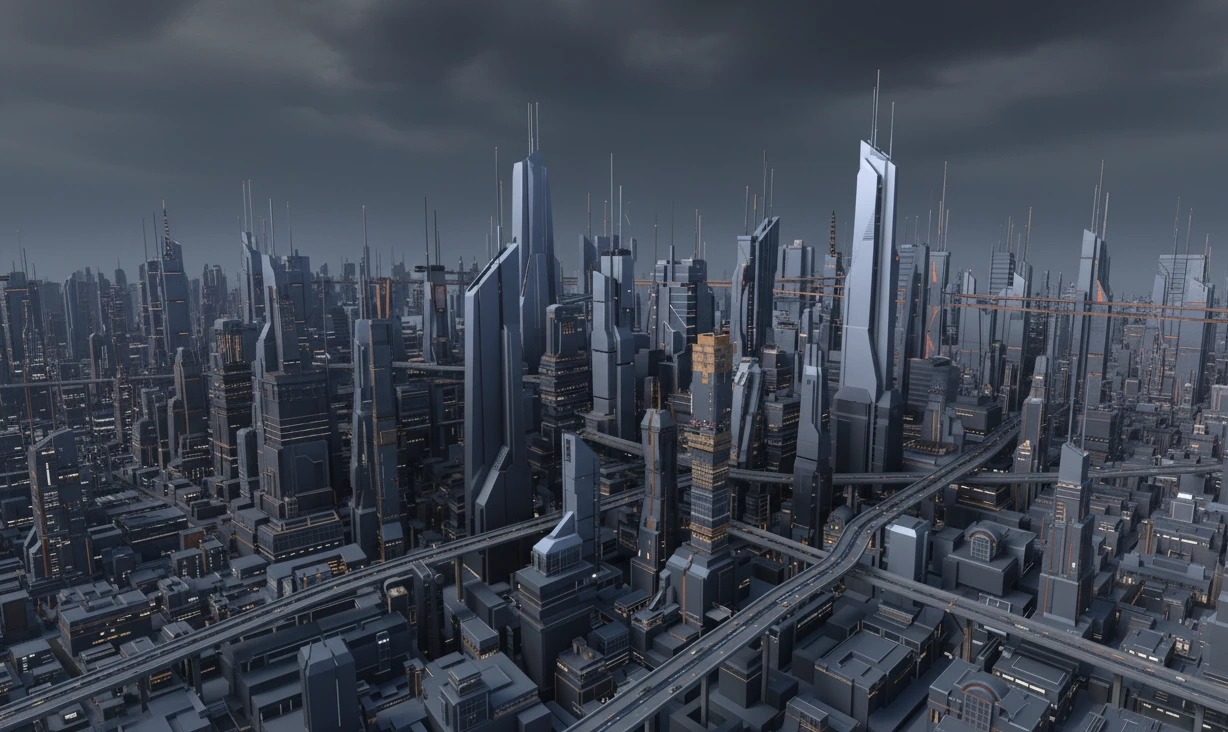
Imaginary Cities in Minutes!
Are you familiar with how the Icity | City Generator Addon works? Imagine trying to build an entire city: buildings, parks, roads, bridges, and green spaces—all with realistic details, ready for rendering or gaming. Manually creating each element and fine-tuning roads and bridges can take hours, draining your creative energy.
For designers and animators, the challenge is always to bring big urban ideas to life quickly and realistically, without spending hours on manual modeling and adjustments. In large projects, even small delays in creating details can slow down the entire workflow and limit creativity.
This is where professional tools come in: with just a few clicks, you can build an entire city, design roads and bridges with precision, and have realistic details as if everything is pre-prepared and under control. No more hours of complex adjustments—you can focus on creativity and urban storytelling, not just modeling.

When Blender Alone Isn’t Enough
Now imagine trying to build a full city without any professional tools. Usually, the options are:
- Manual modeling of every building and road: Every block, tower, street, and bridge must be built from scratch. Even the smallest details, like windows, facades, and columns, take a lot of time and are prone to errors.
- Using Geometry Nodes: This tool can scatter buildings and roads and slightly speed up the process, but precise adjustments are still required. Building bridges with exact curves and heights or designing roads with realistic bends remains difficult and time-consuming without professional assistance.
- Combining multiple plugins: To achieve realistic lighting, high-quality rendering, and environmental details, you often need to coordinate several plugins and make sure everything works together correctly.
Result: All these methods are tedious, time-consuming, and full of minor complexities that slow down the project and sometimes even hinder your creativity. For large urban projects, this means spending hours or days on details while still feeling like the work is incomplete and lacking professional quality.
Introducing the Professional Tool – Build Your City with One Click
If you’ve spent a lot of time building cities in Blender or other software, you know how exhausting and complex the process can be. Icity | City Generator Addon
intelligently solves all those difficulties, allowing you to create entire cities in minutes, without compromising realistic details or professional quality.
Key Features and Practical Applications:
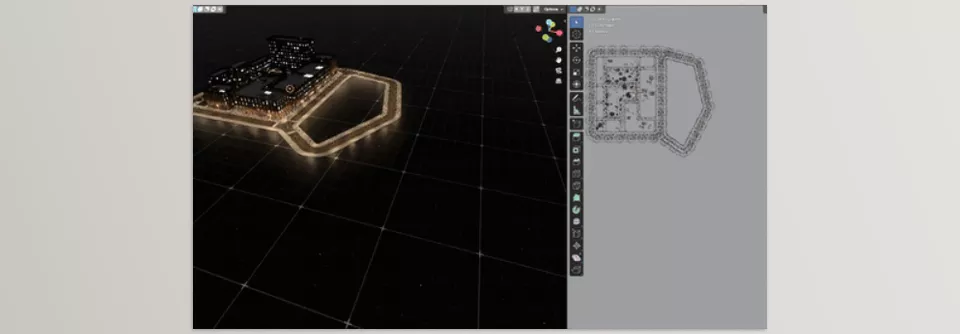
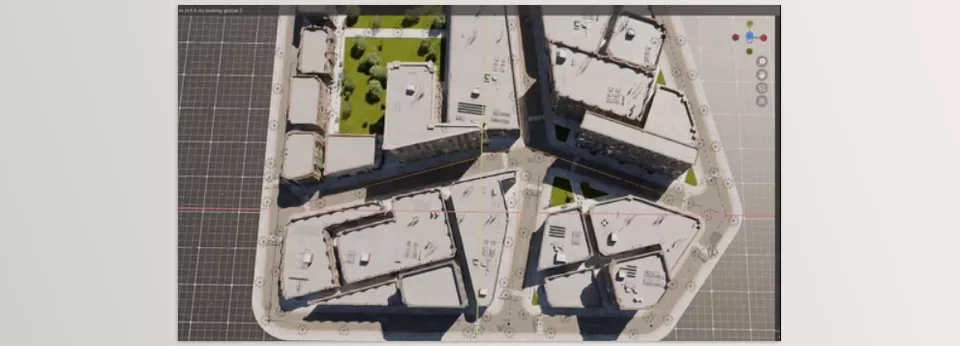
- Quick creation of blocks, parks, and green spaces: Simply drag and place elements. Buildings, towers, houses, parks, and green spaces are generated simultaneously, allowing for different combinations to create cities with varied styles and appearances.
- Professional roads and bridges: Control lane widths, number of lanes, curves, and path heights. Even multi-layered bridges or complex pathways are designed effortlessly. No more hours spent manually adjusting roads—every road and bridge appears exactly as you want.
- Realistic details and render-ready: The tool pre-sets lighting, materials, and effects. Shadows, reflections, building materials, and even urban micro-details are ready for immediate rendering or game use.
- Game-engine-ready output: Export your city in GLTF format with instancing support for Unreal Engine, Unity, or other real-time engines. The file size is optimized, and performance remains smooth even in large and complex scenes.
Practical Example: A project with a few building blocks, a bridge, and a road network that used to take hours can now be ready in under five minutes—with precise details, professional lighting, and fully prepared for game engines or final rendering.
This tool is exactly what urban designers and animators need:
- Faster workflow: No more hours of manual modeling.
- Full control: All elements are adjustable and customizable.
- Realistic details: High-quality, professional cities ready for rendering or gaming.
- Full compatibility: Outputs optimized for game engines and real-time environments.
With Icity, you no longer waste time on tedious details—you can focus entirely on creativity and realistic urban design. It’s like having a professional assistant handling all the heavy, complex work while you create your dream city.
How Professionals Work
Building a city quickly and accurately isn’t enough; professionals know that small details make a big difference. Here are some practical tips for better digital cities:
- Combine blocks and green spaces: Arrange buildings, towers, houses, and parks naturally. Mixing heights, sizes, and spacing makes the city feel alive, not like a repetitive, artificial grid.
- Roads with realistic elevation and curves: Consider heights, slopes, and curves for streets and bridges. These small details add movement and depth, crucial for realistic rendering or gaming.
- Use instancing: To reduce file size and increase render speed, use instancing. This optimizes repeated elements like buildings without losing quality or detail.
- Adjust lighting and shadows: Even with pre-made blocks and roads, natural lighting can significantly enhance realism. Experiment with sunlight or streetlights at different angles and intensities to make the environment feel alive.
- Vary small elements: Streetlights, benches, parking areas, and small green patches make the city feel real. These minor details may be overlooked at first glance but greatly impact the viewer’s perception.
By following these tips, even a quickly generated, automated city can feel professional and realistic, ready for rendering, gaming, or animation projects.
Conclusion – Urban Design, Fast and Realistic
Ultimately, with a professional city-building tool like Icity, there’s no more spend hours on manual modeling, complex road and bridge adjustments, or struggling with lighting and rendering. Icity lets you focus on creativity and realistic city design, achieving results at previously impossible speeds.
Features like quick block and green space creation, precise roads and bridges, realistic render-ready details, and game-engine-ready output make every project feel alive, professional, and realistic. Even large urban projects are no longer a daunting challenge—they become opportunities for unlimited creativity.
With professional methods such as varied block placement, believable road layouts, instancing, lighting, and small detail work, cities are up to cinematic rendering or real-time gaming.
In the end, Icity is the assistant urban designers, animators, and game developers have always dreamed of: fast, precise, and professional, with realistic details and no extra hassle. Just start building, and bring your ideas to digital life—your next city is ready!
For anyone looking to become more skilled in Blender, our comprehensive guide covers all the Blender tools you need to know, helping you build confidence and improve your 3D projects.



