


🧵 When Fabrics Don’t Understand You
Have you ever worked with the Simply Cloth Studio? If you’ve ever tried to make clothing or drape a cloth over a model in Blender, you’ve probably seen that all-too-familiar scene where your fabric, instead of falling naturally, bounces like rubber or gets half-stuck inside your character’s body 😅
At first, it all seems simple: you create a pattern, select a fabric, press the simulate button – voilà! But then when you realize you have to delve into settings, enter a realm of bizarre data numbers, and slides. One quality setting makes it too rigid, another makes it too soft, and another makes it completely clip through the model and disappear!
Before you know it, hours have gone by exploring Quality Steps and Collision Distance in hopes of just getting the fabric to act right. After a while, you just want to get it right and start feeling like you’re solving physics equations instead of approaching a fashion project because all you wanted to do was create naturalistic fabric on a model, not become certified in fabric physics! 😂
And that’s when you want something to make it easier – a tool that replaces tedious setup hours and allows one’s creative juices to flourish. Something that makes it all easier, faster, more fun.

🧵 The Traditional Way – When Everything Must Be Done by Hand
Blender’s built-in cloth simulation system works — but if you want good results, you need the patience of a saint 😅
Every single piece of fabric you make has a ton of settings: Quality Steps, Collision, Self-Collision, Damping, Stiffness, and a long list of other values you have to tweak one by one before the cloth starts behaving properly.
The problem? You never know which combination will work. Lower one number, and the cloth turns floppy; raise it, and it feels like armor! Then you stop the simulation, change the parameters, test again… and the cycle continues until you either get a decent result or give up entirely.
Now imagine trying to sew an outfit — multiple fabric pieces stitched together. You’ll need to pin each part, align its edges perfectly, and somehow stitch them with Blender’s limited tools. One small mistake, and halfway through the sim, everything collapses or tears apart.
After hours of trial and error, your character’s outfit still might not sit naturally, and the wrinkles can look odd or artificial. 😩
Sure, Blender provides the tools — but when it comes to making real fabric, the manual workflow feels more like a patience test than creative design.
👗 Introducing Simply Cloth Studio – When Simulation Becomes Enjoyable
This is where Simply Cloth Studio steps in — turning what used to be a complex, time-consuming process into something simple, quick, and genuinely enjoyable.
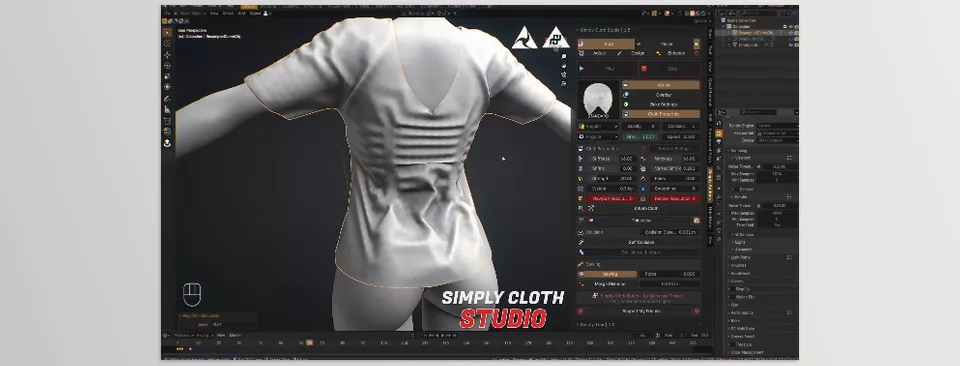
Instead of dealing with dozens of settings, you just click a few buttons and get realistic, natural-looking fabric in seconds.
📏 Want to Design Clothing?
Select your model, choose a fabric preset (like Silk, Denim, or Cotton), hit Simulate, and you’re done. Blender does the rest automatically.
✂️ Want to Sew Clothing from Multiple Pieces?
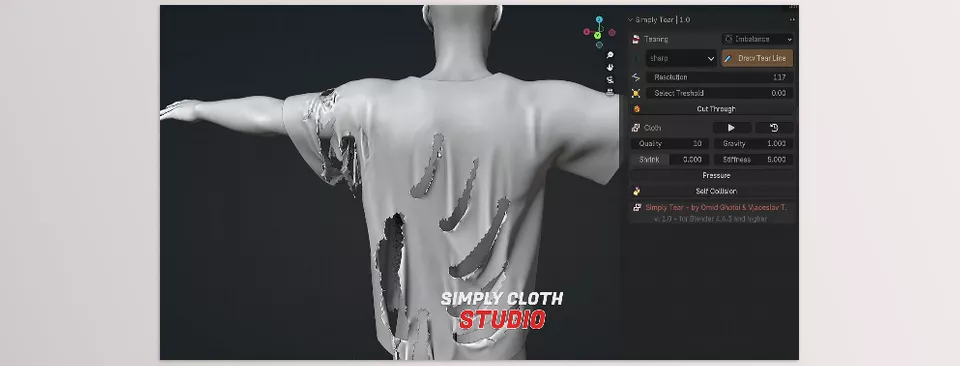
The Cut & Sew system in the add-on works just like real life — cut your fabric, stitch the edges, and test it live on your model. No guessing, no frustration.
📦 Ready-to-Use Pattern Library
It includes over 200 ready-made patterns, letting you create dresses, coats, skirts, jackets, or even decorative fabrics effortlessly.
For large projects or tight deadlines, this library is a true lifesaver.
In short, Simply Cloth Studio is a simple yet powerful add-on that keeps your focus on design and creativity, not technical settings and physics headaches.
If Blender were a sewing machine, this add-on would be the needle and thread that bring your fabric to life. ✨
🎨 Pro Tips for More Realistic Cloth
Now that you’re comfortable with Simply Cloth Studio, here are a few small but golden tips to make your fabrics look even more natural 👇
📦 1. Start with Presets, Then Adjust
The presets are finely tuned, but every project is unique. After choosing something like Cotton or Silk, slightly tweak the weight or thickness to match your vision. Small changes can make a big difference!
💨 2. Don’t Forget Wind and Movement
A gentle wind or subtle character motion makes simulations come alive. Fabric that interacts with its environment always looks more natural than one that just hangs still.
📏 3. Mind the Scale
Blender’s physics are highly sensitive to real-world scale. If your garment is too big or too small, the results can get weird. Always double-check your dimensions before running the sim.
🎬 4. Use Pins Smartly
Even with Simply Cloth Studio, sometimes you need to hold parts of the cloth in place. Instead of over-pinning, only fix key areas (like collars or straps) and let the rest move freely.
🧵 5. Use Cut & Sew for Realistic Design
Instead of one big cloth piece, design your outfit from multiple sections and stitch them with the add-ons system. The result looks far more natural — with realistic folds and tension.
✨ 6. Combine with Proper Shaders
Even the best simulation needs good materials. Use velvet or cloth shaders to match lighting and reflection with the fabric’s movement for maximum realism.
Remember: the add-on’s purpose is to free your creativity, not replace your skill. With just a few tweaks, you can make fabrics that feel not only realistic — but alive and believable. 🌿
🧶 When Fabric Truly Comes to Life
It all goes back to the first question: why spend so much time getting cloth to behave in Blender?
Because the motion of a single piece of fabric can change the entire mood of a scene — from a hero’s cape to a curtain swaying in the wind, these details bring life to your art.
But let’s be real — none of us always has the time or patience to wrestle with dozens of complex settings. That’s exactly where Simply Cloth Studio shines: it takes away the technical struggle so you can focus purely on beauty and creation.
With it, you can sew garments, drape fabrics, or build cinematic scenes — without worrying about clipping, tearing, or strange bounces. Even if you’re new to Blender, after a few minutes of practice, your cloth can look like something straight out of a professional animation shot.
In the end, this add-on isn’t just a “tool” — it’s a creative companion.
And once you start using it, you’ll realize your fabrics finally understand you. 😉
If this article sparked your interest and you’re ready to improve your Blender skills, be sure to check out our full guide about Blender Tools, where we cover all the essential tools, tips, and tricks for better workflows.



