


When Architectural Modeling Gets Boring…
Have you ever seen the Blender-Archipack? We’ve all experienced it: you get into the nitty-gritty of a room or building project in Blender and all of a sudden you have walls, windows with editable dimensions, stairs requiring per-adjusted step for just the right height, and everything has to be perfectly flush and even. One little mess up and your entire project will need to be recreated and redone.
Now imagine working on a large project — a full house or a complex interior with multiple rooms and hallways. A small change, like enlarging a window or moving a door, could take hours and completely disrupt your focus.
Instead of focusing on creativity and design, you end up spending most of your time measuring, redoing, and fixing details. It’s exhausting, tedious, and sometimes discouraging.
It feels like building a 1000-piece puzzle — every time you fix one part, you have to redo the others, with no clear instructions to follow. And that’s exactly when most designers start looking for a faster, simpler, and more professional way to handle architectural modeling…

What Is Parametric Architecture?
Parametric architecture is basically a form of magic power for modeling. It means the objects you build — walls, windows, doors, stairs, and even roofs — can all change in real time without breaking the rest of your project. Dimensions, angles, heights, depths, and small details are all adjustable, while the system keeps everything perfectly synchronized.
A clear example: imagine you’re designing a small room and realize the windows are too small. Without parametric architecture, you’d have to manually resize every window, reposition the walls, and maybe even rework the frames and lighting. A simple change could cost hours and kill your creative flow.
With parametric architecture, you just tweak one setting: the window size doubles, the wall automatically adjusts, the frames scale accordingly, and everything stays aligned and clean. That’s massive time-saving and lets you stay focused on creativity and artistic design.
Even better, this system isn’t limited to walls and windows. You can define stairs with precise step counts, doors with custom heights, and roofs that adapt their slopes instantly. Everything updates dynamically — like working with intelligent building blocks that follow the rules of geometry for you.
How We Work Without Add-ons
If you try to build a house or interior in Blender without any professional tools or add-ons, get ready for a long journey full of details and repetitive work. The first step is to create everything as separate meshes — walls, floors, ceilings, doors, and windows. Each one must align perfectly, and even the smallest dimensional mistake can mess up the project. Next comes the precise adjustment phase, using Blender’s default tools. Every change you make requires manual repositioning and re-editing, sometimes even rebuilding entire parts. And if midway, you decide to tweak something small, like wall thickness or window size? Be ready for hours of rework to keep everything consistent.
The main problems with this approach:
- 🕒 Slow workflow: even minor changes can take half a day or more.
- 😩 Tedious process: constant measuring and repositioning kill your creative focus.
- ⚠️ High error risk: one wrong number can ruin the entire structure.
In short, modeling architecture without an add-on is like building a 1000-piece puzzle without the picture on the box, constantly having to rearrange the pieces.
That’s Where Archipack Comes In
When architectural modeling turns into hours of repetitive adjustments, Blender-Archipack makes everything simple — and fun. This add-on completely transforms Blender into a smart, efficient tool for architectural design and Archviz projects.
🔑 Key Features & Capabilities
- Ready-made Parametric Objects:
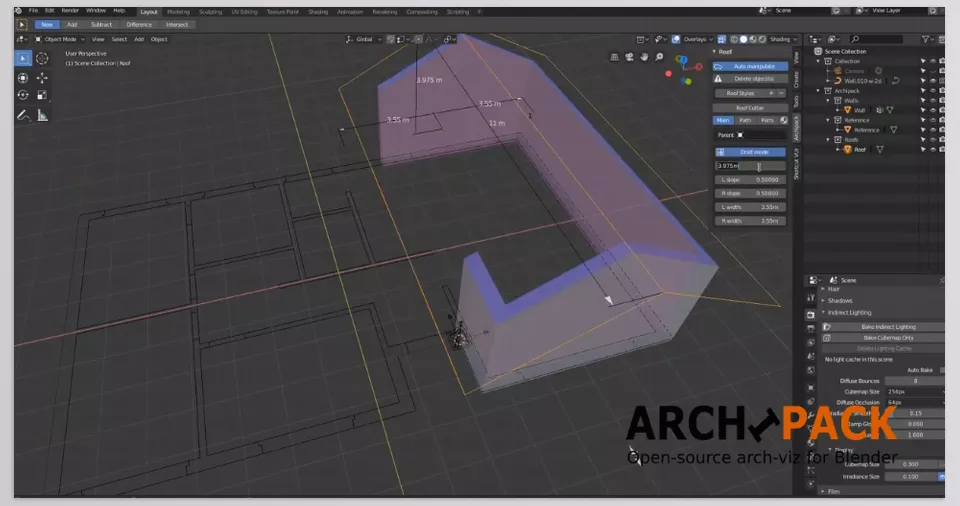
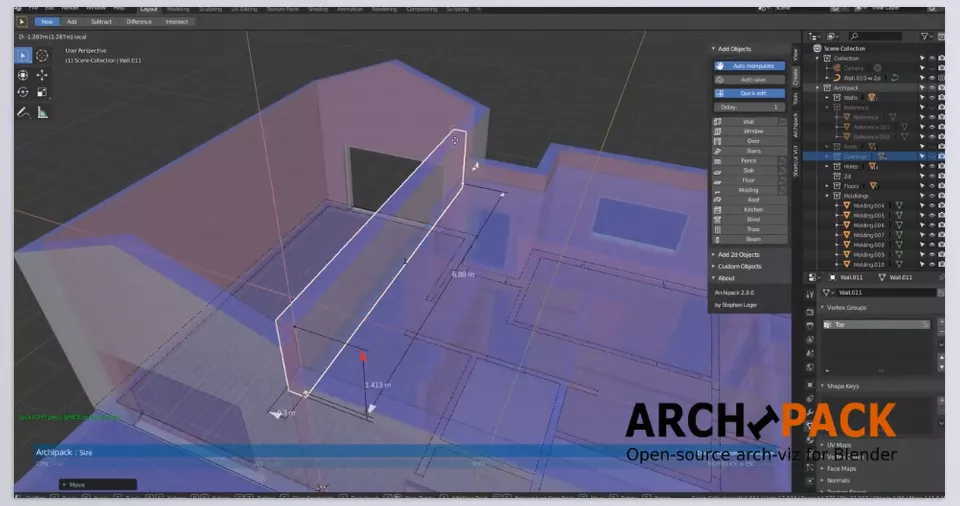
Includes walls, floors, roofs, stairs, windows, doors, frames, fences, and railings — all fully adjustable in size, height, angle, and details. - Real-Time Editing:
Any change in size, position, or rotation updates instantly in the viewport with automatic alignment. - Fine Detail Control:
Adjust everything from wall thickness to window frames, stair count, railing types, and roof shape. - Material Library & Presets:
A collection of ready-to-use materials and presets for faster project starts and consistent design quality. - Automatic Boolean Operations:
Door and window openings are created automatically and perfectly integrated into surrounding meshes. - Curve-Based Modeling:
Draw wall or roof paths using curves and generate architectural geometry from them. - BIM/IFC Export Support:
Seamless integration with architectural workflows and BIM-ready exports. - Complex Roofs & Floors:
Create multi-level or sloped roofs with trims and realistic architectural elements. - UV & Randomized Textures:
Automatically generate diverse UV layouts for more natural-looking materials. - Customizable Interface:
Access from Add Menu, N-Panel, or the dedicated Archipack tab — with layout and icon size customization. - Preset System & Quick Adjustments:
Modify parameters or use pre-made templates for faster iteration and fewer reworks. - Render-Ready Optimization:
All elements are Blender-standard meshes compatible with any render engine or farm. - Custom Geometry Support:
Import your own models for doors, windows, or openings. - Multilingual UI & Flexible Design:
Switch languages, adjust icons, and personalize your workflow.
With Blender-Archipack, architectural modeling becomes fast, flexible, and professional — keeping your focus on creativity, not technical busywork.
🎯 Pro Tips for Using Archipack Like a Pro
Want to use Blender-Archipack like a true digital architect? Here are a few tricks to make your workflow faster, cleaner, and more efficient 👇
🧱 1. Always Start with Presets
Archipack includes plenty of ready-made presets for walls, windows, doors, and stairs.
Instead of building everything from scratch, pick a preset and tweak it to your liking.
It’s faster and ensures your design follows realistic architectural standards — like proper wall thickness or door height.
✏️ 2. Keep Things Parametric
Before converting your objects to mesh (Convert to Mesh), experiment with parameters like dimensions and angles.
Once everything looks right, then you can convert for detailed edits or rendering.
This way, your model stays flexible and easy to modify later.
🎨 3. Use the Built-in Material Library
Archipack’s Material Library includes ready-to-use textures like concrete, wood, glass, metal, and tiles.
Using them across large projects ensures consistent color balance and professional visual style.
You can even save your own custom presets for future projects.
⚙️ 4. Take Advantage of the Interactive UI
Archipack lets you resize and reposition walls, doors, and windows directly in the viewport using handles.
Instead of typing numbers, you can just drag elements visually — perfect for quick layout adjustments.
🏗️ 5. Build Modular Projects
For large environments (like multi-floor buildings), use multiple Archipack sets.
Each floor or room can live in its own Collection, keeping the file organized and performance smooth.
💡 6. Save Your Custom Settings
If you often use specific designs — like tall black-framed windows or unique wooden doors — save them as Custom Presets.
Next time, load them with one click and start building instantly.
These tips turn Blender-Archipack from a simple add-on into your personal architectural creativity engine — saving time and boosting precision in every project.
🚀 The End of Boring Modeling — The Start of Smart Architecture
Blender-Archipack is more than an add-on; it’s a means of working more quickly, easily, and effectively with smarter architectural options. Once engaged, one might feel as if Blender isn’t merely a modeling platform, but an architectural one with a sense of comprehension of what one intends to create.
No more wasting time setting up walls, cutting holes for windows, making the stairs higher. With Blender-Archipack, everything takes a matter of seconds to create – clean, precise, and in no time. Giving you more time with your imagination, lighting, and creating beautiful spaces instead of getting caught in the minutia of redoing the same thing over and over. From modern houses to interior details and Archviz setup, Archipack allows you to deliver faster, more professional, and enjoyable results.
If 3D architecture is your passion — not just a job — this add-on will make your creative path smoother and more rewarding.
Because in the world of Archviz, time is gold — and Archipack turns every second into creativity. ✨
For anyone eager to become proficient in Blender, our guide about Blender Tools offers a thorough breakdown of all tools, practical tips, and real project examples to ensure that you not only learn but can confidently apply your skills.



