

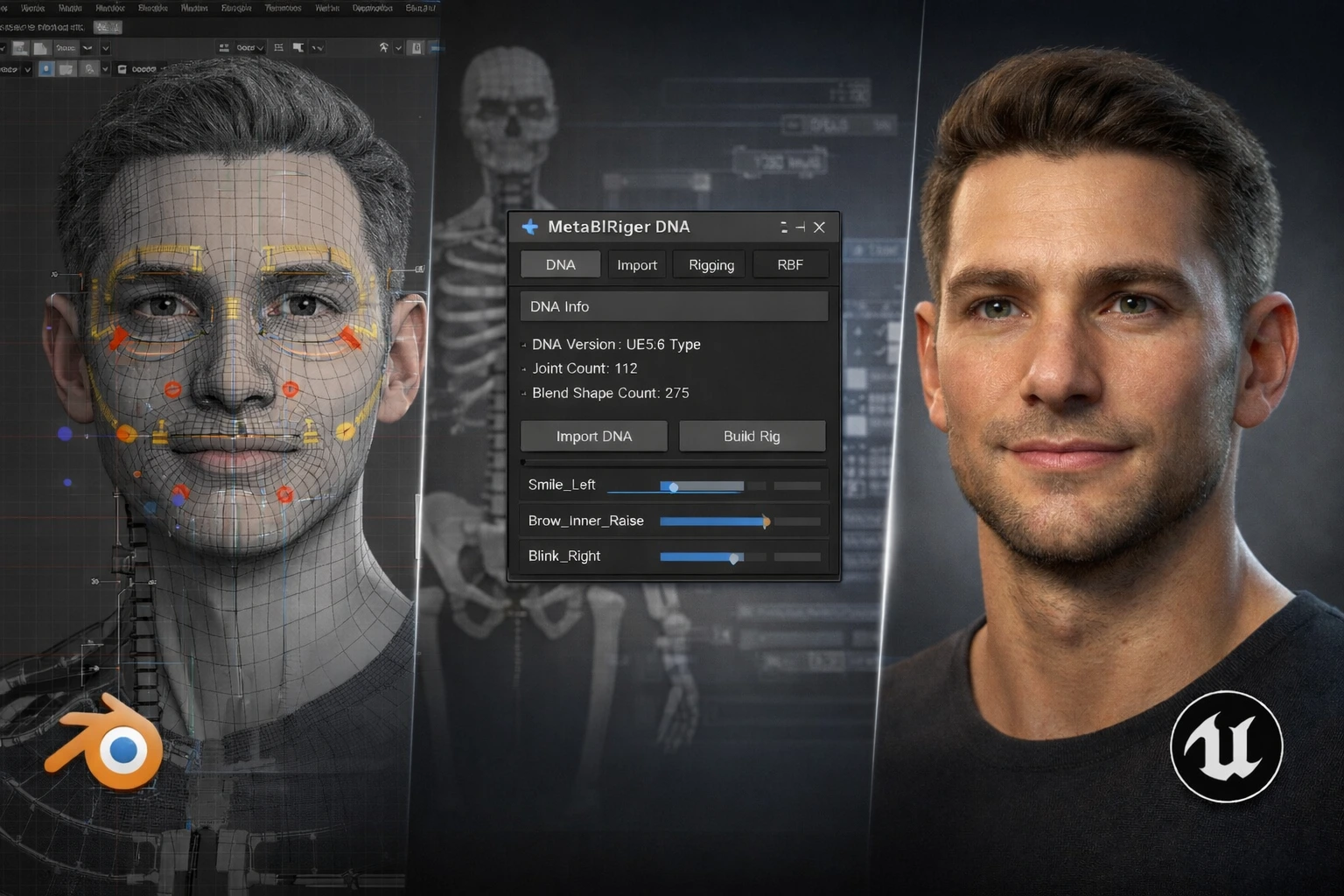
When MetaHuman Is in the Picture, Blender Alone Isn’t Enough…
Have you explored the features of the MetaBlRiger Blender Addon? If you work with Blender and have stepped into the world of Character Design and Animation, you’ve probably heard the name MetaHuman — especially if your goal is to bring your work into Unreal Engine and deliver a realistic, professional result. At first, everything seems simple: you build the model, rig it, export it. But when you need to align with the MetaHuman structure, that’s when you realize there’s a much more serious technical layer involved.
The truth is, building a good character isn’t just about modeling. After modeling, you need to precisely set up the Skeleton, make the Facial Rig feel natural, clean up the Weights, and control the Deformations. And all of this must run inside Unreal Engine without errors. Even the smallest mismatch can cause facial distortion, skeletal issues, or import errors.
MetaHuman has a standardized and engineered system — from the DNA file to bone hierarchy and controller behavior, everything follows a specific framework. When you’re working with a system like this, creativity alone isn’t enough; you need to follow the correct Pipeline. And that’s where you realize Blender, while powerful, isn’t always enough on its own for full compatibility with MetaHuman.

What Exactly Is MetaHuman?
MetaHuman is a realistic character creation system by Epic Games for Unreal Engine. It allows you to build highly detailed humans that are ready for Animation and Motion Capture from the start.
But MetaHuman isn’t just a 3D model; it comes with a complete structure, including:
- Full Body Skeleton
- Advanced Facial Rig with ready-made Controllers
- Facial Corrective System
- An important file called DNA
What Is DNA?
DNA stores the technical data of the character — such as skeleton structure, rig settings, and how the face deforms.
You could say DNA is the engineering blueprint of the character.
Because of this precise and standardized structure, MetaHuman is more than a simple model; it’s a character ready to enter a professional Unreal Engine Pipeline directly.
The Challenge of Working with MetaHuman Inside Blender
Blender is a powerful software and has tools for almost every stage of Character creation. But the key point is that it wasn’t originally designed to fully manage the complete MetaHuman structure by default. MetaHuman has a standardized, engineered system built specifically for Unreal Engine, and when you want to work with that structure inside Blender, you must follow those standards precisely.
For example, if you want to align a custom Mesh with the MetaHuman system, generate a DNA file, or build a Facial Rig compatible with Unreal, you’re entering a technical path. Bone hierarchy must be correct, Naming must be precise, Deformations must look natural, and ultimately, the FBX must import into Unreal without a mismatch. If even one of these steps is done slightly wrong, you may face errors or broken results inside Unreal.
It’s true that you can move forward using Blender’s built-in tools like Armature, Weight Paint, Shape Keys, and Drivers. But keeping everything aligned with Unreal’s structure is time-consuming and requires high precision. Especially when the project is serious, and you’re delivering professional output, these complexities become more noticeable.
So What Exactly Does MetaBlRiger Blender Addon Help With?
This is where MetaBlRiger Blender Addon comes into play.
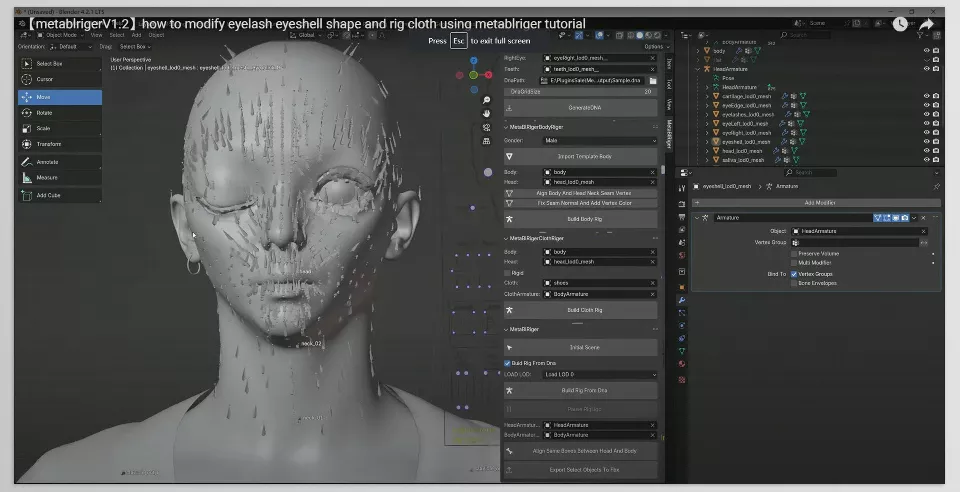
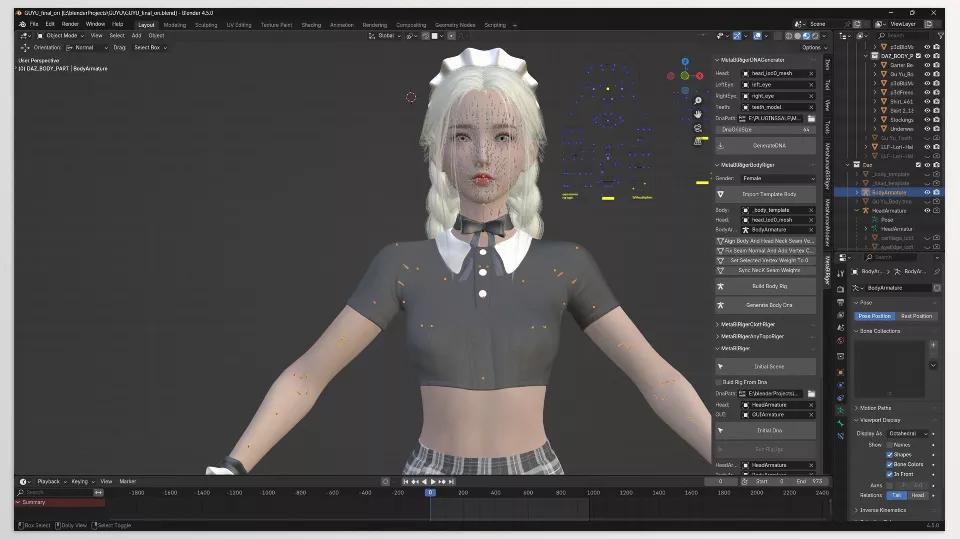
This Addon is designed for Blender to make working with the MetaHuman structure simpler, more organized, and more controllable. It’s not meant to do just one specific task; it’s actually a complete toolset that helps you manage everything inside Blender — from character preparation to final export for Unreal.
Instead of switching between multiple software tools or handling parts of the process manually and in a complex way, you get a clear and focused Workflow.
DNA Management — The Technical Core of the Character
One of the most important parts of MetaBlRiger Blender Addon is working with the DNA file.
With this Addon, you can:
- Generate a DNA file based on Facial Topology
- Import a DNA file into Blender
- Build a standard Facial Rig based on it
This means the technical structure of the character is managed exactly where you’re building the model and the rig. You no longer need to move back and forth between different tools for every small change.
Facial Rig and More Natural Movements
As mentioned earlier, the Facial Rig in MetaHuman is highly advanced. If it’s not set up correctly, the face will look artificial during movement.
MetaBlRiger Blender Addon helps you build a standardized and aligned Facial Rig and even gives you control over Corrective Shapes.
Corrective Shapes are the subtle adjustments that ensure when a character smiles, frowns, or blinks, the skin and facial muscles behave more naturally.
In newer versions, the ability to edit and preview RBF Corrective Poses has also been added — a feature that’s highly valuable for professional and cinematic projects.
Not Just the Face — Body Rig and Clothing Too
MetaBlRiger Blender Addon isn’t limited to Facial Rigging.
You can:
- Manage the Body Rig
- Align the Skeleton with MetaHuman standards
- Prevent mismatch issues inside Unreal
In addition, Cloth Rigging is supported, and it’s even possible to connect models with different topologies to the MetaHuman structure. So if you’ve designed a custom character, you’re not limited to default models.
Clean Export for Unreal Engine
In the end, everything must properly enter Unreal.
MetaBlRiger Blender Addon enables exporting Facial and Body Rigs as FBX so they can run smoothly inside UE5. For those who have a defined Pipeline between Blender and Unreal, this part is critical — because even the smallest mismatch can slow down the entire project workflow.
Overall, MetaBlRiger Blender Addon ensures that instead of struggling with scattered technical details, you have a clear and structured path for working with MetaHuman inside Blender. Your focus shifts from “fixing problems” to “building better.”
A Few Professional Tips for Better Results
Working with MetaHuman and MetaBlRiger Blender Addon delivers the best results when you take certain details seriously. These tips may seem simple, but they’re exactly the things that push your final quality several levels higher.
✨ Clean and organize your topology before creating DNA.
Facial Topology should be clean, quad-based, and free of unnecessary edges. Any irregularities or stretched areas in the Mesh will show up later during Deformation. A clean foundation leads to a cleaner rig.
✨ Match the DNA version with your Unreal version.
Make sure to check which UE version your project is using. Newer versions (such as UE5.6 Type DNA) offer better compatibility, but if your project is older, version mismatch can create serious issues. This small alignment prevents many errors.
✨ Be sensitive about Smile and Blink.
The two movements with the strongest emotional impact are smiling and blinking. Carefully fine-tune the Corrective Shapes for these two. If they look natural, you’ve already covered half the path to believability.
✨ Test a short animation before Export.
Always test a short animation (for example: head rotation + smile + blink). This allows you to detect Weight or Deformation issues before moving into Unreal and fix them on the spot.
✨ Check clothing weights separately.
Cloth is usually the first place where stretching appears. Carefully inspect the Weights, especially around the shoulders, elbows, and neck. Test extreme Poses to ensure the clothing doesn’t break during large movements.
In the end, output quality depends more than anything on your attention to these details. Good tools matter, but clean preparation is what separates professional work from average work.
Final Thoughts — When Speed and Control Come Together
If working with MetaHuman is serious for you and Blender is your main tool, having a direct and structured path to align with Unreal Engine is truly valuable. When you know that from DNA creation to Facial Rig setup and final Export, everything moves forward within a defined Workflow, both your speed increases and your stress decreases. Instead of constantly fighting technical errors or skeleton mismatches, your focus shifts to progressing the project.
MetaBlRiger Blender Addon isn’t meant to replace your creativity or automate everything mindlessly. Its main role is to simplify and make controllable the technical and complex connection to the MetaHuman system. Instead of dealing with scattered technical details, you get a tool that keeps everything organized and standardized.
And when that technical layer is properly structured, you have more energy and focus for what truly matters: better design, more natural animation, and building characters that feel alive. In the end, a good tool is one that clears the path — not one that clutters your creative journey.
If you’re looking for a complete guide to all Blender tools, our Blender Tools article explains every tool step by step and shows practical ways to implement them in your projects.



