

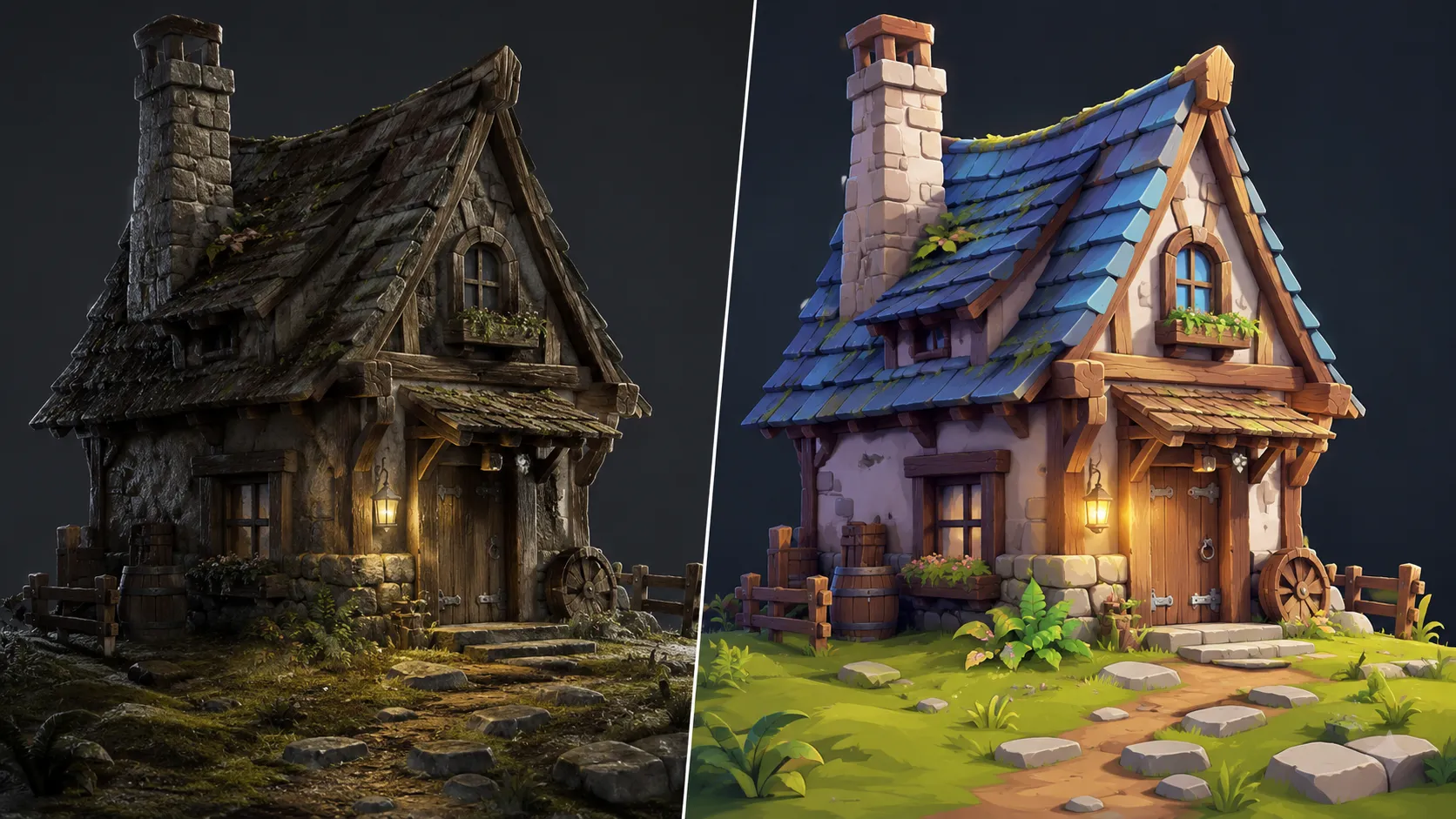
Why Do Some 3D Models Feel More Alive?
· Are you familiar with the features of the Stylized Shaders Addon by Superhivemarket? Have you ever created a perfectly clean and professional 3D model, only to find that the final render doesn’t convey the feeling you had in mind? The problem may not be the model or the lighting; sometimes, what transforms an ordinary image into a captivating piece is the visual style and the way materials are presented.
Today, many games, animations, and cinematic projects opt for Stylized looks rather than complete realism. In other words, colours, shadows, and textures intentionally move away from reality to create a unique artistic feel. However, achieving these looks is not always that simple.
Creating a cartoon-style, painted, or concept art–like render usually requires extensive tweaking, the development of complex shaders, and a great deal of trial and error. This is where having a faster workflow can save a significant amount of time.

What Are Stylized Shaders and Why Are They Important? ✨
Before exploring ready-made tools, it’s important to understand exactly what we’re talking about. A Stylized shaders is a method of creating non-photorealistic appearances in 3D rendering. Instead of making materials behave exactly like they do in the real world, it allows us to shape their appearance into various artistic styles.
These shaders typically provide greater control over aspects such as colour, lighting, shadows, detail level, and how a model’s surface is displayed. The result can resemble a cartoon illustration, a painted image, or a fantasy scene.
For example, imagine you’ve designed a 3D character. With a standard shader, the result may look like a realistic model. However, with a Stylized shaders, you can transform that same model into a character that resembles those found in cartoon games, 3D animations, or hand-drawn artwork.
This is not only about aesthetics. In many projects, the visual style is considered part of the project’s identity. An indie game, a promotional teaser, or a short animated film may require precisely this distinctive look.
Traditional Methods for Creating Stylized Looks in Blender 🛠️
Before ready-made tools became available, most artists created Stylized looks in Blender by combining several different techniques. These methods are still effective and widely used in many projects, but they generally require more manual adjustments.
Some of the most common methods include:
- Building shaders with nodes: Using the Shader Editor, you can create custom materials and gain precise control over colour, lighting, shadows, and surface details.
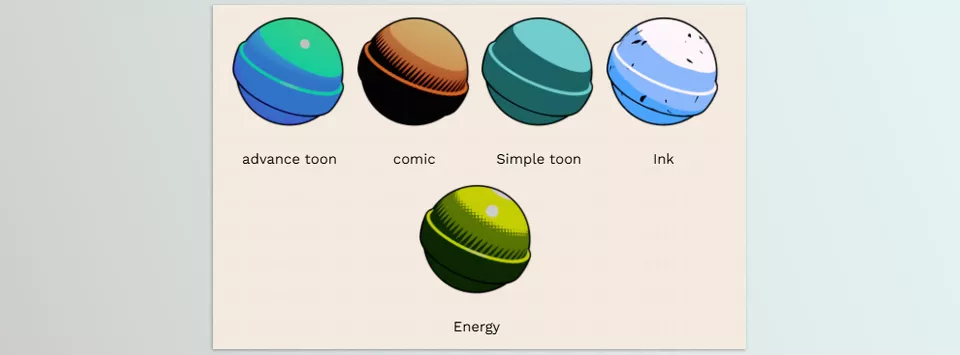
- Using Toon Shaders: This approach simplifies transitions between light and dark areas, producing a cartoon-like, animation-inspired appearance.
- Working with hand-painted textures: In this technique, instead of relying entirely on realistic lighting and materials, the artist manually paints details and colours onto textures to give the model a painted look.
- Using Freestyle and outline techniques: These methods add outlines around models, making them resemble comic, cartoon, or illustration styles.
- Manual lighting adjustments: Changing the light angle, shadow intensity, and scene contrast also plays an important role in creating a professional Stylized appearance.
By combining these techniques, it is possible to produce highly impressive results. However, achieving a specific visual style usually requires extensive experience and considerable trial and error.
The Challenges of Traditional Methods: When Project Speed Slows Down ⏳
Although traditional methods provide artists with a great deal of creative freedom, their main drawback is the time and complexity involved. Building a professional shader from scratch, configuring multiple nodes, and balancing lighting and materials for each model can take hours. If you want to experiment with several different styles or work with a large number of assets, the process quickly becomes exhausting. In larger projects, where rapid iteration and idea testing are essential, handling all these steps manually can distract artists from the core design and creative process.
Stylized Shaders 3: A Faster Way to Create Artistic Renders 🎨
Stylized Shaders 3 is a professional Blender add-on designed to simplify the creation of Stylized and NPR (Non-Photorealistic Rendering) shaders. Instead of spending hours building complex node setups and making manual adjustments to achieve a cartoon, painted, or fantasy look, this tool helps you achieve attractive, fully controllable results much more quickly.
The primary goal of this add-on is to shorten the gap between a standard 3D model and an output with a distinctive visual identity. A model that may appear plain with a standard material can be transformed into an asset suitable for games, concept art, animation projects, or even artistic renders.
Transforming Ordinary Renders into Cartoon and Stylized Looks ✨
One of the key features of Stylized Shaders 3 is its ability to quickly create artistic, non-photorealistic appearances. Rather than focusing on accurately simulating the real world, it helps you move your models toward more creative visual styles.
Using this add-on, you can transform 3D models into styles such as:
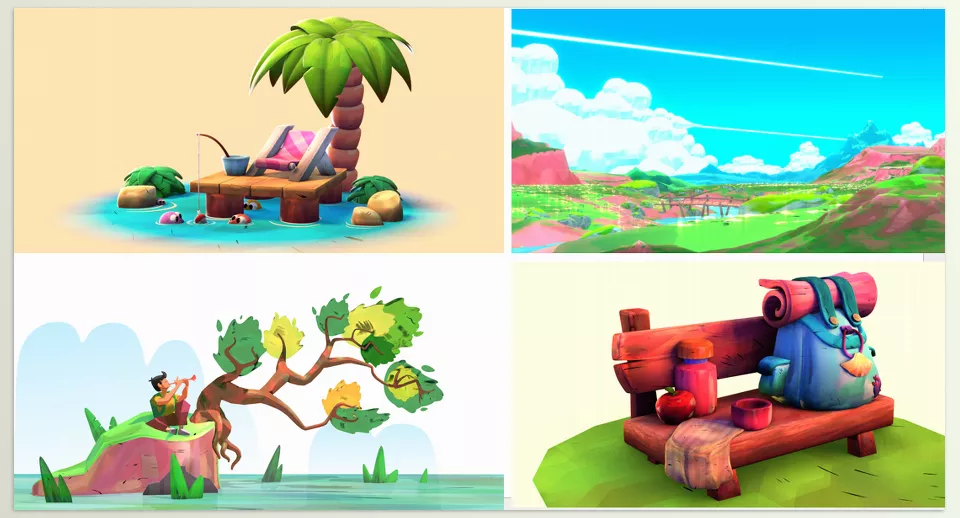
- Cartoon and animation
- Hand-painted
- Fantasy and game-oriented
- Illustration and concept art
- Graphic and non-photorealistic styles
For example, a simple building, prop, or character model can evoke the atmosphere of a fantasy world or an indie game rather than look photorealistic.
Creating Stylized Materials Faster Without Complex Node Setups 🎨
One of the biggest challenges in creating unique looks in Blender is manually configuring shaders. Combining different nodes, controlling lighting and shadows, and achieving a cohesive result usually require considerable time.
Stylized Shaders 3 simplifies this process, allowing artists to experiment with different looks much more quickly. Instead of building a complete material system from scratch every time, you can focus more on your core ideas and the overall design of your project.
This becomes even more valuable when working with multiple models or assets, as it allows you to establish a consistent visual language across the entire project.
Ideal for Asset Creation, Games, and Animation Projects 🎮
In many modern games and animations, achieving maximum realism is no longer the primary goal. Instead, having a distinctive visual style is often more important. A simple yet unique appearance can make a project far more memorable.
Stylized Shaders 3 is particularly useful for projects such as:
- Designing 3D characters
- Creating fantasy environments
- Designing game assets
- Building rapid prototypes
- Producing promotional and artistic renders
With this tool, you can prepare a large number of models with a unified visual style without spending extensive time creating separate materials for each one.
Greater Control Over Lighting, Shadows, and the Final Mood of the Image 💡
One of the most important aspects of stylized visuals is controlling how lighting and shadows are displayed. Even a simple model can convey an entirely different feeling simply by changing the way light interacts with it.
Stylized Shaders 3 gives you greater control over the overall appearance of materials and how they respond to lighting. This allows you to create outputs with different moods, such as:
- Soft and colourful animation-style visuals
- Darker, more cinematic styles
- Hand-painted appearances
- Graphic and comic-inspired designs
This flexibility means you are not limited to a single visual style when searching for the right look for your project.
A Faster Workflow for Experimenting with Different Ideas 🚀
One of the biggest advantages of stylized tools is that they significantly speed up experimentation. In 3D design, finding the final look often requires testing multiple visual styles.
With Stylized Shaders 3, you can switch between different looks more quickly, compare ideas, and identify the best option before investing too much time in a single direction.
This feature is particularly valuable for concept artists, game designers, and motion designers who need to produce results quickly.
Compatible with Blender’s Popular Render Engines ⚡
Stylized Shaders 3 is compatible with Blender’s two primary render engines: Cycles and Eevee. This means you can use it both for high-quality final renders and for projects where rendering speed is a higher priority.
Compatibility with both render engines gives you greater flexibility in your workflow, allowing you to balance quality and performance based on your project’s needs.
Who Is It For? 👇
Stylized Shaders 3 is designed for artists who work with Blender and want to create renders with a more distinctive appearance and stronger visual identity without spending excessive time building complex shaders. It can serve as a faster and more accessible solution for 3D artists, game designers, motion designers, short animation creators, and concept artists who want to produce creative, stylized, and visually striking results.
A Few Tips for Getting Better Results with Stylized Shaders 💡
Having a powerful tool like stylized shaders can make the design process much faster, but the final result does not depend solely on the tool itself. The way you use it, the style you choose, and the consistency between different elements of the scene all play a major role in creating a professional-looking result. By following a few simple tips, you can create a more natural and visually appealing appearance.
- Don’t overdo the effects:
The purpose of a stylized shaders is not to make the model look completely unnatural or overly busy. In most cases, the best results are achieved when the new appearance still remains consistent with the model’s original form, design, and overall feel. - Take lighting seriously:
Even the best shader cannot produce an appealing result without proper lighting. The light angle, shadow intensity, and image contrast all significantly impact the final mood of the render and can make a simple appearance look completely different. - Choose a consistent visual style:
If you’re working on a game, an animation, or a multi-part project, it’s better for all elements to share a common visual language. Mixing completely different styles may cause the final result to look inconsistent and less professional. - Test multiple versions before finalizing:
One of the biggest advantages of ready-made shaders is that they let you experiment with different looks quickly. Compare several variations to find the best combination of colors, lighting, and style for your project.
Ultimately, the goal of using stylized shaders is not simply to change the appearance of a model, but to find a visual style that better conveys the mood and concept of your project. Spending a little extra time testing and making final adjustments can make a significant difference in the quality of the final result.
Conclusion: When 3D Models Gain Personality 🎯
When working in Blender, creating a clean and highly detailed model is not the only factor that makes the final result appealing. Very often, what makes an ordinary render stand out is the visual style, the colours, and the overall mood you give it. Even a simple model can attract far more attention than a highly complex model with standard materials if it has the right visual appearance.
Stylized Shaders 3 is designed specifically for this stage of the creative process—making it easier to achieve a distinctive artistic look. Instead of spending hours building shaders from scratch, configuring nodes, and experimenting with different combinations, you can quickly test various styles and dedicate more of your time to developing ideas and creating the project itself.
If you’d like your Blender renders to move beyond a standard appearance and embrace cartoon, fantasy, hand-painted, or even a completely unique visual style, having a tool like Stylized Shaders 3 can significantly shorten the process. This add-on makes it easier to experiment with your ideas, discover new styles, and create outputs that are more than just 3D models—each with its own mood and personality.
For anyone who wants to get comfortable with Blender tools and see them in action, our Blender Tools article walks through all the features clearly and thoroughly.



