

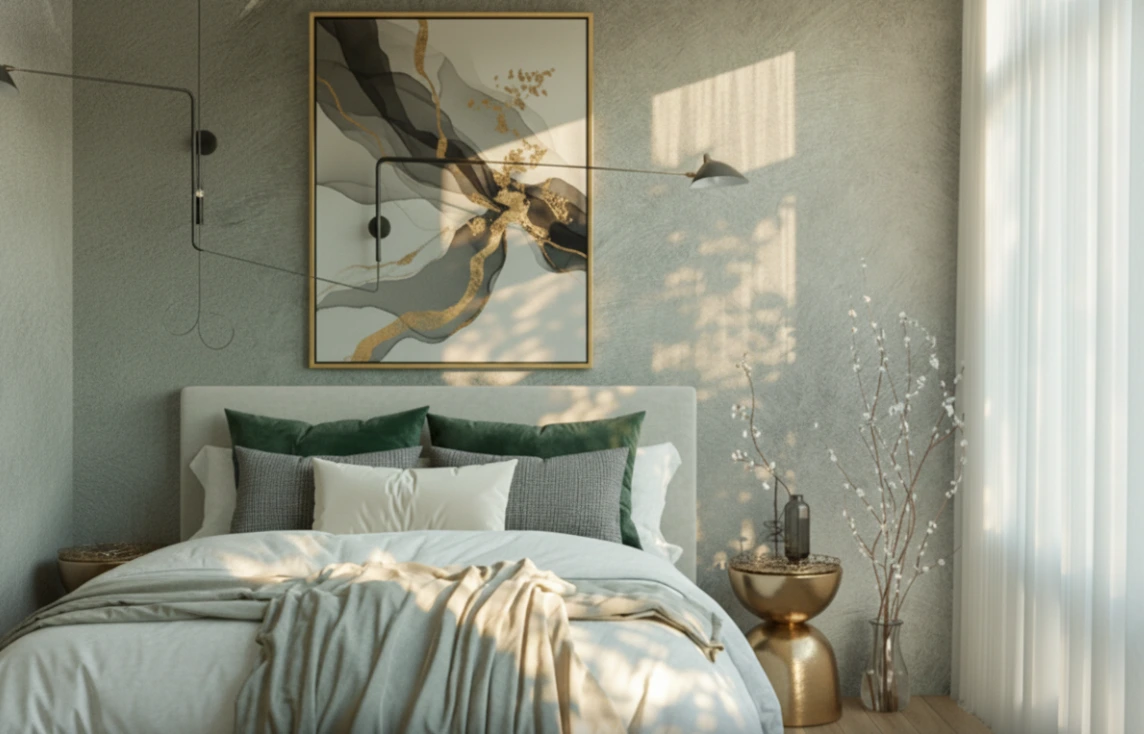
Light and Sky: Every Scene Creator’s Challenge
Are you familiar with how the Physical Starlight and Atmosphere work? If you want the sun and the sky to feel like an icy cold winter morning or an oppressive hot summer sunset, everything in the sky needs to have dimension, the light needs to scatter just right, and shadows should cast naturally. Otherwise, without this tool, you’ll have to play with lights, shaders, and volumetrics for hours just to get somewhere near your desired output.
Now, if you try to do this with plain Blender, it gets even trickier. The Sky Texture only generates a simple image, and the Sun Lamp doesn’t simulate real light scattering. Stars and clouds are usually static and don’t interact with the scene’s lighting, which makes the scene feel lifeless and flat.
This is where a simple solution can save you a lot of time. Something that can make lights, sky, stars, and clouds realistic with just a few clicks, so you don’t have to spend hours on trial and error. You can focus entirely on creativity and storytelling instead of complex settings.

Creating Natural Sky and Lighting with Plain Blender
In Blender, without any add-ons, there are a few options to simulate sky and light:
Using Sky Texture in World Shader
- Blender has a node called Sky Texture that can simulate sky colors and sunlight.
- You can adjust the sun angle and set sunrise, sunset, or daytime colors.
- By combining the Sky Texture with a Background Shader, you can create an initial ambient light for the scene.
Sun Lamp for Sunlight
- The main sunlight is simulated using a Sun Lamp.
- The Sun Lamp’s angle, intensity, and color can be adjusted to affect shadows and object brightness.
Adding Stars and Clouds
- Stars are usually placed as a texture on a large surrounding sphere.
- Clouds can be simulated with Volume Scatter or textures on a sphere or plane at a certain height.
Manual Animation of Light and Atmosphere
- Changing the sun’s position, cloud movement, or sky colors requires manual keyframing on Sun Lamp and shaders.
- Every frame needs light and shader adjustments to make the scene look natural.
Limitations of This Method
The main problem is that Blender’s Sky Texture does not simulate the actual volume of the atmosphere or the scattered light in the air. This makes the scene look somewhat artificial and flat. Stars and clouds do not interact with sunlight realistically—they remain static as if the scene is lifeless. Even the Sun Lamp doesn’t produce real scattered light, so shadows and colors appear less natural.
Worse, if you want to animate all of this or simulate sunrise, sunset, and cloud movement, it becomes extremely difficult. You have to spend hours tweaking shaders and lights, and even then, the scene might not capture the natural and dynamic feeling you want. Simply put, it’s possible with plain Blender, but achieving a realistic sky is a huge time-consuming challenge.
Introducing Physical Starlight and Atmosphere – Your Real Lighting Companion
Imagine creating a sunrise over a fictional landscape. Sky colors, light scattering, shadows, star movement, and even camera height must all be correct for a natural, lively scene. Now imagine all of these challenges solved in one tool. This is where Physical Starlight and Atmosphere comes in, making your work faster, easier, and more realistic.
Physical Starlight and Atmosphere (PSA) make everything integrated, realistic, and fully animatable. Let’s explore its features:
1. Realistic Sunlight
- PSA calculates sunlight based on real Kelvin (color) and W/m²sr (energy intensity) values.
- Shadows and scattered light appear exactly like in the real world.
- Even the smallest changes in sun angle or camera height naturally update the lighting results.
This means you no longer need hours to tweak lights for proper shadows and color gradients; PSA calculates everything physically and accurately.
2. Dynamic, Volumetric Sky
- Unlike traditional HDRIs that are static images, PSA generates a volumetric, realistic sky:
- Light passes through the atmosphere with natural scattering.
- Colors shift at different points in the sky.
- When the camera moves or the viewpoint changes, the sky retains a natural sense of space and depth.
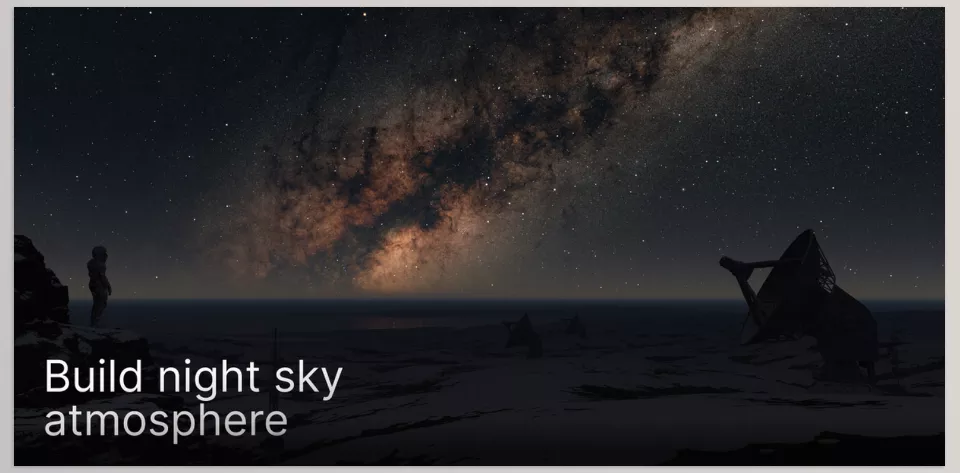
- You can even create fantasy skies, from colorful sunsets to alien planetary landscapes with two suns.
3. Animatable Stars and Clouds
- Stars and clouds can be procedural or texture-based and reflect natural light:
- Stars appear warmer near the horizon and whiter at the zenith, just like reality.
- Clouds respond to sunlight, producing realistic shadow and light.
- Sun and cloud movements can be animated to create sunrise, sunset, or changing atmospheres.
4. Ground and Camera Height
- PSA allows adjusting camera height:
- View the scene from ground level or higher to convey vastness and scale.
- Even reach space to see atmospheric effects and star lighting at high altitudes.
This makes environmental and space scenes appear fully realistic and dynamic.
5. Compatibility with Eevee and Cycles
- Whether you want a quick preview render or a high-quality final render, Physical Starlight and Atmosphere works seamlessly with both Blender render engines.
- Results are always consistent and reliable without repeatedly adjusting parameters.
6. Real Project Example
- An industrial team produced thousands of product renders with realistic, consistent lighting using PSA.
- Before PSA, finding a suitable HDRI for each scene took hours and often lacked accuracy.
- With PSA, all scene lighting and sky settings were ready in minutes, delivering consistent, reliable quality.
3D artists and lighting professionals reported that Physical Starlight and Atmosphere not only reduces work time but also increases creativity and freedom, allowing them to focus on storytelling rather than worrying about physical lighting details.
Physical Starlight and Atmosphere simplifies all the complexities of lights, skies, stars, and clouds. With PSA, scenes are not only beautiful and physically accurate but also easily animatable and adjustable. It’s like having a professional lighting assistant handling all the tedious, time-consuming details.
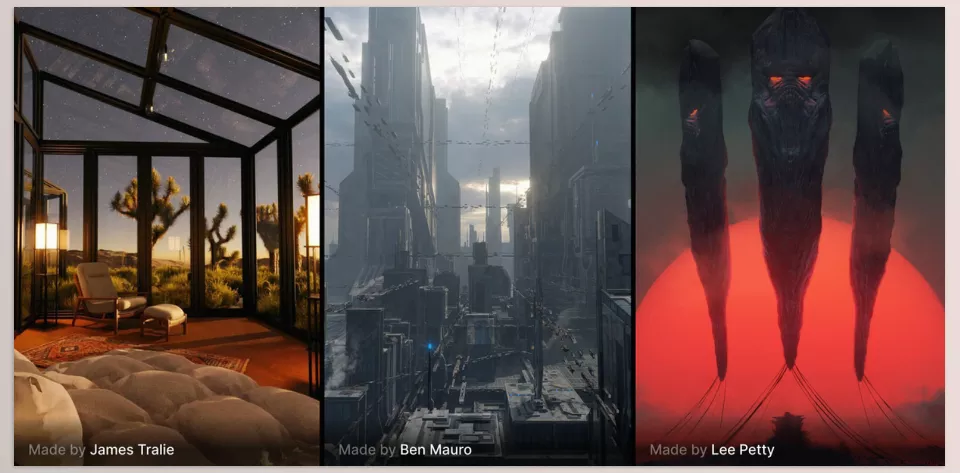
Pro Tips for Better Physical Starlight and Atmosphere Usage
PSA is powerful for sky and lighting, but for optimal results, here are some professional tips to make it easier and more creative:
Dynamic Scenes with Keyframes
- Every parameter—light, sky, sun, stars, or clouds—can be keyframed.
- Animate sunrise, sunset, cloud movement, or changing atmospheres.
- Both simple and complex scenes become fully dynamic and alive.
Using Presets as a Starting Point
- PSA includes several ready-to-use presets to quickly start a scene.
- After selecting a preset, you can:
- Change sky colors and sunlight.
- Adjust light intensity and scattering.
- Shape the atmosphere to your creative vision.
This lets you reach the desired result quickly without starting from scratch.
Controlling Camera Height and Sun Angle
- Camera height and sun angle greatly affect depth, shadows, and realism.
- Even moving a few meters or adjusting the sun by a few degrees can completely change the feeling of morning, noon, or evening.
- PSA applies these changes naturally without complex tweaks.
Creating Fantasy or Unrealistic Scenes with Natural Lighting
- Even in fantasy or alien planetary scenes, PSA respects physical light values.
- The result? Unrealistic scenes still look stunning and believable because light and scattering follow real-world rules.
Integrating with Other Blender Tools
- PSA can be combined with particle systems, geometry nodes, or custom shaders.
- Example: synchronize clouds and fog with PSA volumetrics or add lighting effects to characters and objects.
- This ensures your scenes are both professional and creative.
Experimenting and Playing with Parameters
- PSA is fast and updates changes in real-time.
- The best approach is to experiment with settings and see how the sky and light affect your scene.
- This experimentation often produces exciting and unexpected results.
Sky and Light Are Now in Your Hands!
Realistic lighting and sky aren’t just a visual effect—they’re the soul of your scenes. Without proper tools, adjusting light, sky colors, shadows, and star movement can be time-consuming and sometimes exhausting.
Physical Starlight and Atmosphere make all of this simple, animatable, and dynamic with just a few clicks. Lighting and atmosphere in your scene will be believable and at your control. From dawning a new day to setting the sun on an alien world, with PSA, you won’t need to spend countless hours creating lighting, you’ll have time to actually tell the story and build your scenes.
Think of it as a professional lighting friend by your side: everything is ready, adjustable, flexible, and brings the real sense of light and space to your scenes. With Physical Starlight and Atmosphere, working with sky and light is no longer hard or rigid—it becomes fun and enjoyable.
Looking to gain confidence in Blender? Our comprehensive guide about Blender Tools covers all the tools and shows how to use them in practical, real-world applications.



