

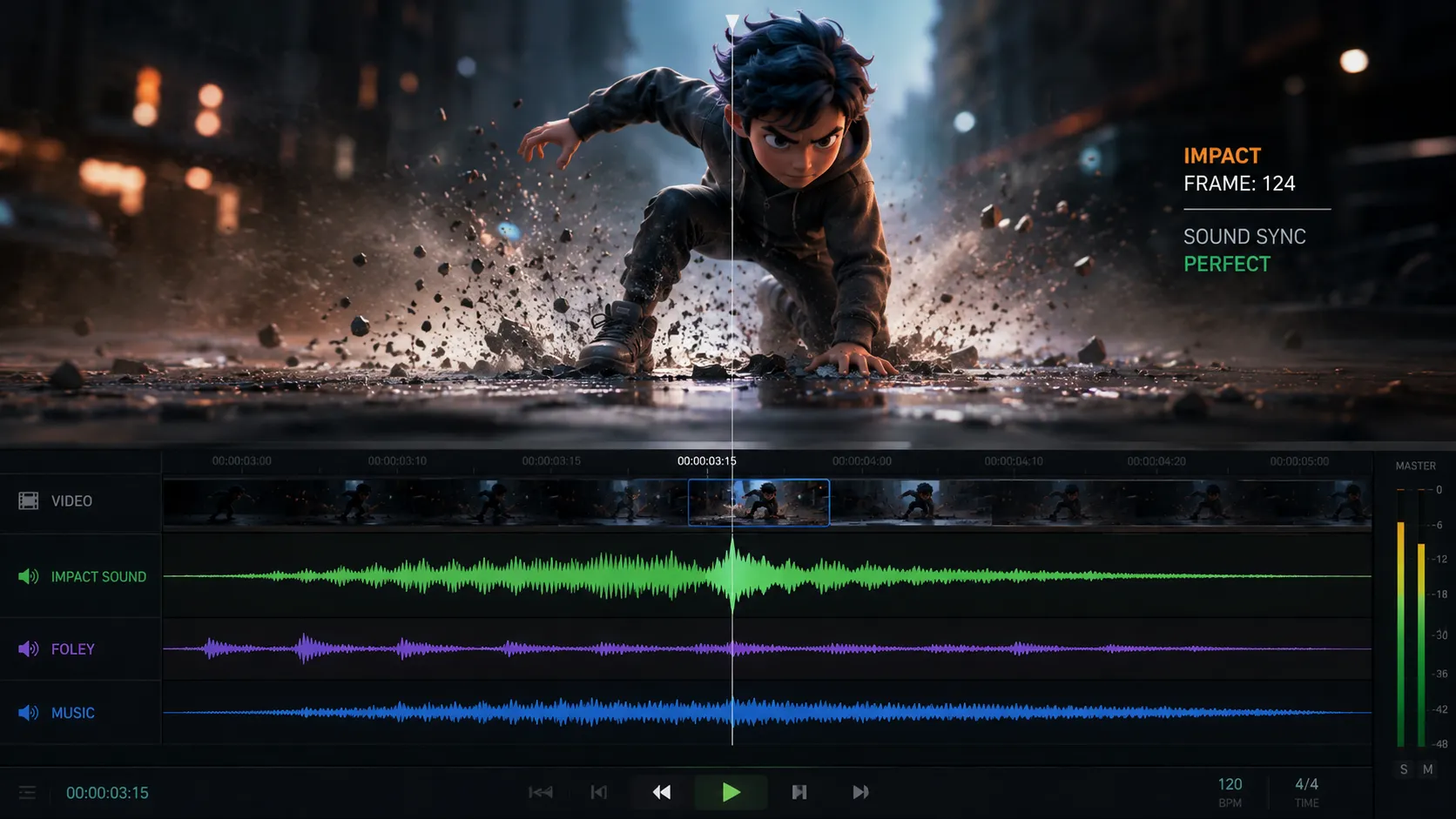
When Syncing Audio and Animation Becomes a Headache 🎬🎧
Have you ever looked into the Reabl For Blender Addon by superhivemarket? As long as we’re only working with visuals, everything is relatively simple and controllable. You create the animation, arrange the scenes, and the timing of movements is entirely in your hands. But the moment music, sound effects, or Foley enter the project, things suddenly become a bit more complicated 😅
Because now it’s not just the visuals that need to work correctly; the audio also has to sit perfectly on those exact moments and movements for the scene to truly feel complete.
The main problem is that in many traditional workflows, visuals and audio are managed in two completely separate environments. That means the animation changes inside Blender, then you have to export the project again, import the new file into the audio software, and spend a lot of time re-syncing everything. And if the project is constantly evolving, this process may repeat over and over again 😵💫
These endless back-and-forths between visual and audio software can be extremely exhausting and time-consuming, especially for long or professional projects. That’s why many animators, editors, and even studio teams are always looking for workflows that make the connection between visuals and sound simpler and more synchronized — so both parts of the project can move forward together without the usual frustrations 🚀

Why Is Audio-Visual Sync So Important? 🔊✨
In professional projects, sound is not just an extra layer added on top of visuals. In many cases, music and sound effects are what create the core emotion of a scene.
For example, imagine a character landing on the ground at a very specific moment; if the impact sound plays even a few frames too early or too late, the entire feeling of the scene falls apart.
Or in projects where music is built around the rhythm of the visuals, even the smallest change in the timeline can throw everything off 😵💫
That’s why many Blender users prefer handling audio work in professional software like REAPER: Blender is fine for simple audio tasks, but it was never designed for professional sound design.
Before Professional Workflows, Everything Was Done Manually 😬
Before tools like ReaBl entered animation and audio workflows, most artists had to manage visuals and sound separately. Usually, animation was created inside Blender, and then the project was transferred into software like REAPER or other DAWs for audio work. This process was manageable for smaller projects, but as projects grew larger and more professional, keeping in sync became increasingly difficult.
A traditional workflow usually looked something like this:
- Creating a Preview or Playblast from Blender
- Importing the video file into the audio software
- Adjusting music, sound effects, and Foley
- Exporting the result and checking audio-visual sync
- Repeating the same process again after every animation change
Some advanced users also tried using Timecode, OSC, or even custom scripts to create communication between software for better synchronization. Of course, these methods were mostly suitable for users who didn’t mind dealing with technical setups and complicated workflows 🤯
Where the Real Problems Started 🎧💥
The main issue with these older workflows was that everything depended too heavily on constant Exporting and Importing. Even if only a few frames of animation changed, the entire audio sync process could break, forcing you to export a new file and reconfigure everything from scratch. This became especially exhausting and time-consuming in projects where music or Foley played a major role.
On top of that, when visuals and sound are managed in two completely separate environments, the process of reviewing and refining the project slows down. You constantly have to switch between software, manage new file versions, and hope nothing in the timeline shifts unexpectedly 😅
For professional or studio-level projects, these constant back-and-forths not only increased production time but also pulled the team’s focus away from the creative side.
So What Exactly Is Reabl For Blender? 🎛️
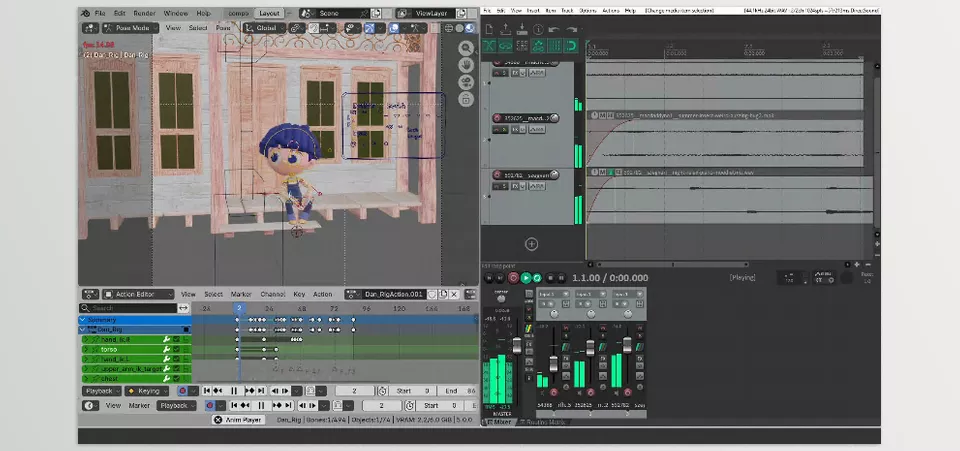
Reabl For Blender is essentially a bridge between Blender and REAPER — a tool designed to help visuals and sound work together in a synchronized workflow rather than existing in two separate worlds.
This means that when you move through the timeline inside Blender, press Play, or review a scene, the exact same thing happens simultaneously inside REAPER. As a result, you no longer need to constantly export new versions, import updated files, and manually re-sync everything after every small change 🙌
But Reabl For Blender is not just a simple sync tool. Its real goal is to make the entire workflow between visuals and audio smoother and more professional — especially for projects where sound is a major part of the final experience, such as story-driven animation, cinematic projects, music videos, or studio productions.
What Features Does Reabl For Blender Offer? 🚀
One of ReaBl’s most important features is Transport and Timeline synchronization between Blender and REAPER. This means any timeline change made in one software automatically syncs with the other. As a result, reviewing scenes, adjusting audio, and fixing timing become much faster and easier.
On top of that, ReaBl integrates REAPER into Blender’s workflow as a professional audio environment. REAPER itself includes many powerful audio tools, such as:
- Professional Mixing and Mastering 🎚️
- Sound Design tools
- Foley and environmental sound creation
- Advanced Track Routing
- Support for VST audio plugins
- Precise waveform and audio editing
- Creating music synchronized with visuals 🎼
When these capabilities are integrated directly alongside Blender, the workflow becomes much smoother, allowing users to focus on both visuals and sound simultaneously without interrupting production.
It’s Not Just About Sync — It Builds a More Complete Workflow 🎬
Another interesting aspect of ReaBl is that it’s designed for real studio workflows. It can work both on a single system and in networked or multi-computer environments. This is especially useful for teams where visual and audio departments work separately.
Additionally, the Reabl For Blender package includes several companion tools that make the process even easier. For example:
ReaBl Setup Assistant
A helper tool for easier installation and configuration of OSC libraries and REAPER communication files.
ReaBl.ReaperOSC
A dedicated OSC configuration file that manages Timeline and Transport communication between Blender and REAPER.
VSE Stem Exporter
A tool for exporting audio tracks from Blender’s Video Sequence Editor, making them easier to integrate into professional audio workflows 🎧
Documentation and Full Guides
Including installation instructions, setup tutorials, and usage documentation.
Why Do Some People Love This Workflow? 🔥
The popularity of Reabl For Blender mostly comes down to how smooth the workflow feels. When visuals and audio work together within a single synchronized system rather than in two separate environments, reviewing projects, adjusting timing, and even being creative in sound design become much easier.
Especially in projects where music and Foley are important, this synchronization can save a huge amount of production time. Instead of constantly dealing with file exports and imports, your focus stays on the project itself — and that’s exactly what professional workflows are meant to achieve ✨
A Few Tips to Improve Your ReaBl Workflow 💡
When you step into more professional audio-visual workflows, having good tools alone isn’t enough; the way you use those tools also has a huge impact on project speed and quality. Fortunately, there are several simple tips that can make working with Reabl For Blender and sync-based workflows much smoother and more professional 🚀
Use Lightweight Previews 🎬
You don’t always need a final render to check sync and timing. Using Playblasts or lightweight previews allows you to review changes much faster and manage the back-and-forth between visuals and audio without delays.
Don’t Leave Foley Until the End 🎧
Many people postpone sound design and Foley until the final stages, but when sound exists alongside visuals from the beginning, scenes feel more natural and animation timing decisions become easier.
Keep Tracks Organized and Separate 🎚️
In larger projects, it’s better to separate dialogue, music, sound effects, and Foley into different tracks. This makes timeline management easier and reduces headaches during editing or mixing.
Constantly Check Sync ⏱️
Even with professional workflows, it’s still a good idea to review important scenes again after major timeline changes. Some small timing differences may not be noticeable at first, but they can affect the final feeling of the project.
Fully Utilize REAPER’s Features 🔥
Once REAPER becomes part of your Blender workflow, don’t settle for basic sync alone. Using Routing, audio plugins, and professional mixing tools can dramatically improve the final quality of the project.
Ultimately, what makes workflows like ReaBl truly attractive isn’t just easier synchronization — it’s that they help keep your focus on creativity instead of repetitive technical frustrations ✨
Is Reabl For Blender Actually Necessary? 🤔
If you only work on simple or short projects occasionally, you can probably manage without ReaBl. But once projects become bigger and more professional, constantly exporting, importing, and fixing sync between Blender and your audio software starts wasting a lot of time and energy 😅
That’s where Reabl For Blender becomes more than just a side tool — it helps keep the entire workflow smooth and efficient.
When audio and visuals stay connected in real time, making decisions about timing, music, Foley, and editing feels much more natural. You spend less time fixing sync issues and more time focusing on creativity. Especially in projects where atmosphere and music matter, this can make a huge difference in the final quality 🎬🎧
Reabl For Blender might not be the most flashy of programs, but once you’ve used it for a while, you won’t go back to your previous methods of editing your visual and audio projects. ReaBl for Blender saves you time, effort, and encourages you to focus on the crucial part of your project – your creativity 🚀🎯
If you want a complete understanding of Blender tools and how to use them effectively in your projects, don’t miss our Blender Tools article, which walks you through each tool step by step and gives you a broader perspective.



