


Why Are Professional Water and Fluid Effects Important in Your Scenes?
The task of creating realistic-looking liquids in 3D can be difficult, yet with the right tools, like this blender water addon, it can be done effortlessly. As it is, animation and 3D work is immensely detailed; the smallest of adjustments can elevate an animation from static and mundane to beautifully captivating. Water in motion, the drops of rain, the waves of the ocean, or even a solitary tear falling from a character’s eye. These elements, albeit small, breathe a lot of life into your work. That’s why using a professional Blender water addon can instantly take your scene from ordinary to cinematic.
But let’s be honest—creating professional water and fluid in Blender manually is a frustrating, tedious endeavor. Without a proper Blender water addon, the average artist will struggle to get even the simplest form of fluid movement and spend way too much time doing it. You might spend hours running simulations, only to have unnatural liquid movements, uncontrollable details, and renders that take forever. Surely, you’ve often felt that your scenes lack the professional, realistic touch you were aiming for, making you feel frustrated or doubt your ability to reach that level.
And this is exactly when most of us stop and think: “How can I make my water and fluids look realistic and appealing without wasting an entire day?” Everyone has experienced this feeling, and if you’re reading this article now, it means you’re also looking for a way to make your work more professional without starting from scratch every time.
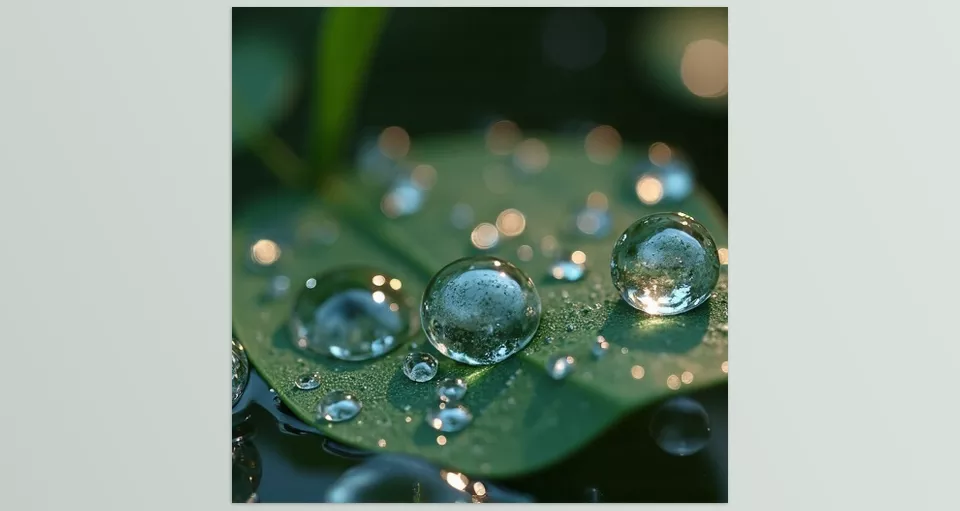
Challenges of Working with Water and Fluids in Blender and Initial Solutions
The truth is, when we try to simulate water and fluids in Blender without professional tools, we quickly face several major issues. Simulations are long and processor-intensive, control over details like droplets, foam, or complex flows is limited, and the final result often looks unnatural. A specialized Blender water addon solves many of these limitations by giving you more artistic control. When you try to combine these fluids with character animations or moving meshes, things get even more complicated, and hours can be wasted without achieving an acceptable result.
Of course, there are always methods to make the process somewhat easier. For example, you can use simple shaders for the appearance of water, create some effects procedurally with Geometry Nodes, or simulate simple flows with short animations. These methods help the scene appear more realistic and save time, but the reality is there are still limitations that these approaches cannot overcome. For truly professional results, investing in a Blender water addon is the smarter choice.
And this is where having professional tools and add-ons truly shows its value. They can save your time, give full control over details, and make the water and fluids in your scenes feel genuinely alive and believable. Without these aids, no matter how much effort you put in, you may still feel that something is missing.
Professional Tools for Creating Water and Fluids in Blender
Now that we’re familiar with the challenges and limitations of water and fluid simulation, it’s time to look at tools that can solve these problems. When it comes to choosing the best Blender water addon, there are three main categories: realistic fluid simulation, lightweight simulations, and shader-based water tools.
Realistic Fluid Simulation (Physical Fluid Simulation)
This category includes add-ons that simulate liquid motion and behavior realistically. For example:
1. FLIP Fluids
What is it?
FLIP Fluids is a powerful Blender add-on specifically designed for realistic fluid simulation. It uses the FLIP (Fluid-Implicit Particle) technique, a combination of particle-based simulation and meshing. This means the add-on can accurately simulate the physical behavior of fluids, producing real and reliable results.
Applications:
- Simulating water and liquid flows: from ocean waves and rivers to water inside containers and pipes.
- Liquids with varying viscosities: you can simulate everything from light water to thick liquids like honey or syrup.
- Foam and bubbles (Whitewater): creating realistic foam, bubble, and splash effects.
- Liquid surfaces and surface tension: precise simulation of droplets, small waves, and water masses interacting naturally.
- Interaction with custom forces: control water flow with volumes, surfaces, or custom paths.
Key Features:
- Solver selection: FLIP for turbulent simulations and APIC for smooth and stable simulations.
- Pause and resume baking: stop simulation at any point and continue without losing data.
- Debugging tools: view meshes and fluid interactions with obstacles to fix simulation issues.
- Presets and example scenes: quick project start and easy learning.
- Command line support and automation: for large projects and complex simulations.
Why professionals use it:
FLIP Fluids allows the creation of highly realistic fluids with complete control over their behavior, which is essential for film, animation, and even video games. It minimizes long simulation times and the difficulty of controlling details, producing results that would be nearly impossible to achieve without it.
2. Cell Fluids
What is it?
Cell Fluids is an innovative Blender add-on that uses Geometry Nodes for fluid simulation. This simulation is done in a “2.5D” style, meaning it’s performed on a 2D mesh with variable height (Height Field) and then enhanced with displacement effects for added realism.
Applications:
- Fast and lightweight fluid simulation: ideal for quickly adding water flows or liquid surfaces without heavy system usage.
- Creating waves and small splashes: simulate small details like water splashes or tiny surface waves.
- Baking to static meshes: save liquid states on fixed meshes and even create flow maps.
- Compatible with Eevee and Cycles: lightweight simulation visible in both fast and accurate rendering engines.
Key Features:
- Lightweight and optimized: low resource consumption and fast performance, even in complex scenes.
- Visual detail control: adjust foam, noise, waves, and interaction with effectors.
- Dynamic ground: move terrain and obstacles during simulation, affecting waves and flows.
- Presets and upgradeable: newer versions allow converting old simulations to updated ones.
Limitations:
- Multi-layered or complex simulations are not possible; best for flat, open surfaces.
- No support for high-viscosity fluids.
- Simulations cannot be exported to other software or game engines.
Why it’s useful:
Cell Fluids allows you to create fluid flows quickly and visually. It’s an excellent choice for scenes requiring high performance and low resource usage, providing realistic water appearance without heavy simulation. That makes Cell Fluids a lightweight but effective Blender water addon for everyday projects.
Water Shaders & Visuals
These add-ons focus on the appearance and visual effects of water and fluids without requiring complex physical simulations:
1. Real Water
What is it?
Real Water is a shader-based Blender add-on that focuses primarily on the visual appearance of water. If your goal is speed and style, this Blender water addon is the easiest way to achieve realistic results. Unlike physical simulation add-ons, Real Water lets you control water surfaces, waves, bubbles, and foam without complex simulation, producing fast and realistic render results.
Applications:
- Creating waves and water movement: easily generate natural waves for rivers, ponds, or oceans.
- Foam and bubbles: add realistic details like surface foam or underwater bubbles.
- Ocean and underwater water: includes shaders for underwater environments with lighting, bubbles, and visual effects.
- Quick use without heavy simulation: ideal for animation scenes and fast rendering.
Key Features:
- Presets and adjustable colors: four presets for water effects with customizable color and intensity.
- Easy changes via add-on interface: modify settings without entering the Node Editor.
- Eevee and Cycles versions: usable in both render engines with good quality.
- Foam, bubbles, and wave effects: shaders include realistic default effects for water surface details.
Why it’s useful:
Real Water allows you to create visually appealing and realistic water without spending hours simulating fluids. It’s especially suitable for scenes requiring realistic water appearance with fast, adjustable control over visual effects.
2. Aqua Under Water
What is it?
Aqua Under Water is a Blender add-on that allows you to create and control high-detail water surfaces and underwater environments. It focuses on appearance, lighting, and visual effects, making it ideal for underwater scenes, rivers, lakes, and oceans.
Applications:
- Adjust water color and transparency: modify water color based on depth and environment.
- Create waves and surface textures: simulate natural water flow patterns.
- Underwater lighting: change color, intensity, and direction of light for depth and realism.
- Particle and suspended effects: add water particles, dust, or foam for visual detail.
Key Features:
- Ready presets for different water types: oceans, rivers, lakes, and custom environments.
- Full control over effects: adjust light intensity, direction, waves, and particles.
- Compatible with Blender render engines: works in Eevee and Cycles with good quality.
- Simple and user-friendly interface: quick and uncomplicated scene adjustments.
Why it’s useful:
Aqua Under Water allows you to create detailed and flexible water surfaces and underwater visuals. Perfect for realistic underwater scenes or dynamic rivers and lakes, it delivers professional results without heavy simulation.
3. Aquatiq
What is it?
Aquatiq is a Blender water addon that focuses on quickly and easily creating water and fountain effects. Unlike heavy simulations, it uses simple planes and lightweight animations to display moving water in your scenes.
Applications:
- Creating fountains and ponds: includes ready-made water features like basins and birdbaths.
- Moving water and simple animation: add water motion without complex simulation.
- Lightweight shader: advanced and optimized shader that uses few resources and doesn’t impact heavy scenes.
- Ready library of water and effects: includes 2D and 3D assets for faster design.
Key Features:
- Generate mesh or linked instances: reuse easily across projects.
- Smooth texture and mask transitions: blend effects and details without issues.
- Sample scene: includes a beach scene for testing and practice.
- Lightweight and fast: ideal for projects needing water with fast workflow.
Why it’s useful:
Aquatiq lets you quickly add moving water and simple effects without waiting for heavy simulations. Perfect for fast projects, short animations, and scenes requiring visually appealing water with minimal resources.
Droplet & Small Fluid Effects
This category is for small details and precise effects like droplets or tears:
1. Droplet Generator
What is it?
Droplet Generator is a Blender water addon designed to create small droplets and fine fluid details on surfaces. Fully procedural, it allows complete control over droplet path, size, shape, and distribution.
Applications:
- Create droplets on leaves, glass, or other surfaces: adjustable paths and maximum number of droplets.
- Create droplet trails: move droplets along specific paths for realism.
- Animate droplets: allow droplet movement and shape changes for animated scenes (in development).
- Fully procedural design: each droplet is generated individually with customizable weight and distribution.
Key Features:
- Adjustable shape and size: create variety and detailed realism.
- Custom weight map: limit droplet distribution on different surfaces.
- Non-overlapping distribution: prevent droplets from overlapping using distance settings.
- Dedicated droplet shader: control light depth and shadows for a natural appearance.
Why it’s useful:
Droplet Generator makes it easy to add small, realistic details like raindrops or tears on surfaces without spending much time achieving natural results. Ideal for scenes where tiny details bring life and realism.
2. H2O Droplet Simulation
What is it?
H2O Droplet Simulation is an advanced Blender water addon using Geometry Nodes to simulate droplets and small fluids realistically. It’s especially useful for adding water on moving meshes or animated characters while remaining lightweight and optimized.
Applications:
- Add droplets to moving meshes: like tears on a character’s face or raindrops on clothing.
- H2O Curves library: includes presets and tools for faster design and simulation.
- Realistic droplet simulation: droplets behave naturally and interact with surfaces.
- Interactive effects: control droplet path and shape for finer details.
Key Features:
- Compatible with moving meshes: works on characters or objects in motion.
- Uses Geometry Nodes: lightweight and doesn’t overload the system.
- Add to personal library: save and reuse simulations and presets.
- Easy preview and control: view changes in the viewport and apply adjustments quickly.
Why it’s useful:
H2O lets you add droplet and small fluid details on moving surfaces realistically. Perfect for scenes where water motion and realism matter, like tears, raindrops, or water on dynamic surfaces, delivering believable results without heavy simulation.
Each of these categories has a specific purpose: realistic simulation for precise flows, shaders for visual appearance and effects, and droplet tools for small, natural details. Properly combining these tools can elevate your scenes to a fully professional and realistic level, allowing crucial small details like water movement or droplets to be created effortlessly and with complete control.
Final Summary
Hours trying to simulate them, but often the results look unnatural or lack that real, lively feeling. It can be frustrating, especially when you want your scenes to look professional and captivating.
The good news is that with professional tools and add-ons, the process becomes much easier and more enjoyable. Simulation add-ons like FLIP Fluids and Cell Fluids help you create realistic and accurate water flows without too much hassle. Shaders and visual tools such as Real Water, Aqua Under Water, and Aquatiq make your liquids not only realistic but also visually stunning. And detail-oriented tools like Droplet Generator and H2O allow you to add drops and small effects—even on animated meshes—making your scenes feel more alive.
Ultimately, employing all of these plugins puts you in the position of making any scene you desire not only realistic but also beautiful. You’ll be in a time-saving bubble with every material and texture detail at your disposal and learned to push you beyond your creative boundaries.
👉 Therefore, once you find the right blender water addon for your needs, it will result in professional, realistic and enjoyable projects.
If you want to explore other Blender tools, don’t miss our comprehensive guide to Blender’s full range of tools.



