

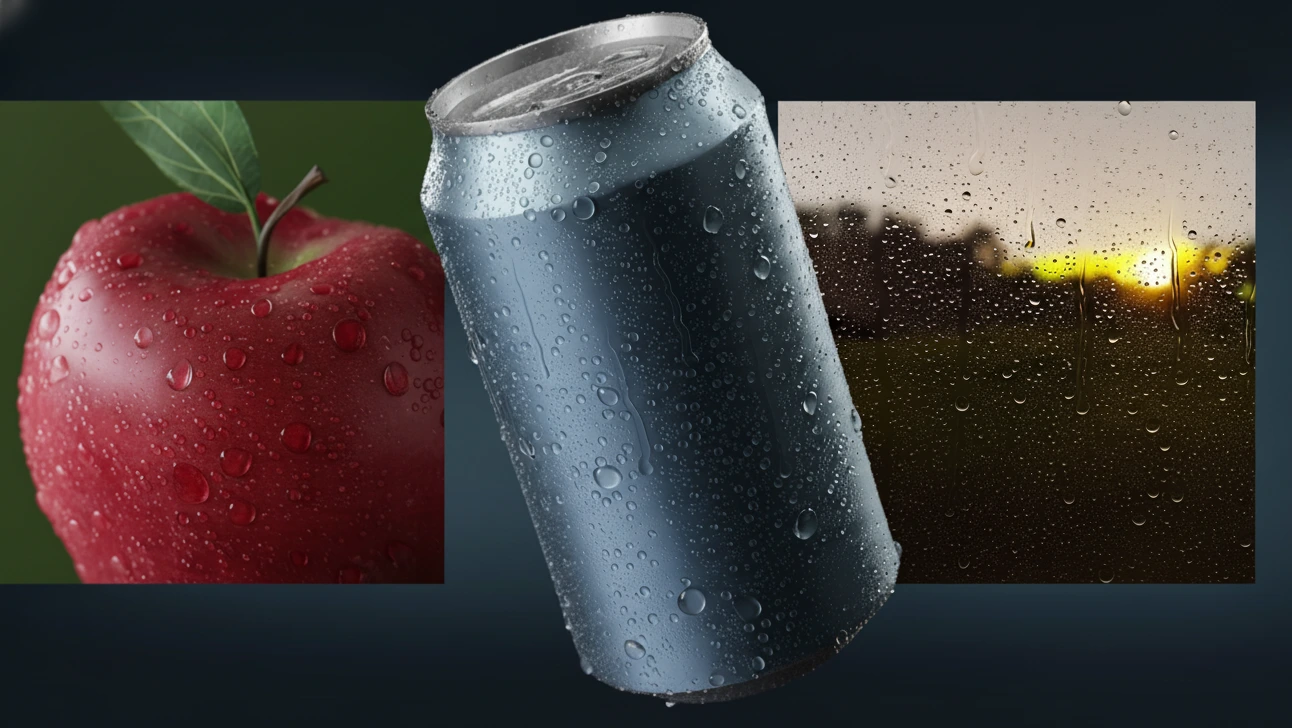
💧 When Real Droplets Are Missing in the Scene…
Have you ever used the Droplet Generator? You’ve probably faced a moment when you wanted to create a rainy scene, a wet leaf, or a foggy window — but no matter how much you tried, that feeling of real moisture just didn’t come through. The scene was well-lit, the materials were fine, yet something was missing. That dampness, those tiny droplets that make a frame feel alive.
Modeling droplets manually? Well, that’s a whole story in itself! You have to model their shapes, distribute them across the surface, make sure they don’t overlap, and then adjust materials and render settings. The result usually ends up either too clean or too artificial.
Which is why these little details are often overlooked by the artist. They take a lot of time and a lot of work. But the reality is, it’s these little nuances that make something “real and emotional” as opposed to just “good.” Not an effect, but a sentiment. A feeling of freshness, rain, perhaps even post-storm tranquility of water droplets.

When Blender Alone Isn’t Enough
Blender is a complete world of tools. You can create almost any idea with it. But when it comes to fine details like water droplets, things get a bit trickier. Because a droplet, despite its simple look, is a combination of physics, material, and geometry — something that can’t be made with just a small sphere.
Typically, artists use one of the following methods:
Manual Modeling
The simplest yet most time-consuming method. You create several spheres, modify their shape using Sculpt or Proportional Editing, and stick them onto a surface. The result is acceptable but nearly impossible to manage for large quantities.
Particle System
You scatter droplets like particles, but it’s hard to control their size and spacing precisely. Plus, overlapping is common.
Geometry Nodes
The most advanced approach within Blender for droplet control. You can create distribution, shaping, and weighting systems — but designing a complete node network for such a simple effect takes time, and the results aren’t always natural.
The common issue across all these methods is that the final output often looks too clean or artificial. Droplets intersect, forms repeat, and precise control over distribution is a real headache. And if you want effects like moving droplets, dripping water, or droplet trails, you’ll need advanced node setups or physical simulations — which are both heavy and slow.
So yes, Blender has the tools. But it’s like trying to build a car using just a wrench and screwdriver. It’s possible, but it takes forever. That’s where tools like Droplet Generator come in — doing in seconds what would otherwise take a skilled artist hours, and without the stress.
⚙️ Realistic Droplets Without the Hassle
Before this, creating water droplets in Blender was a time-consuming and meticulous task. But Droplet Generator makes the entire process take just a few clicks. It works procedurally, meaning all droplets — from shape and size to placement — are automatically generated yet fully customizable.
You no longer need to model or manually distribute droplets one by one. Just select your target surface, tweak the settings, and watch it fill up with realistic, clean, and beautiful droplets in seconds.
💧 Key Features:
🔹 Fully Procedural Generation:
All droplet geometry is generated using smart nodes. You have unlimited control over shape, number, and scale — everything is editable without quality loss.
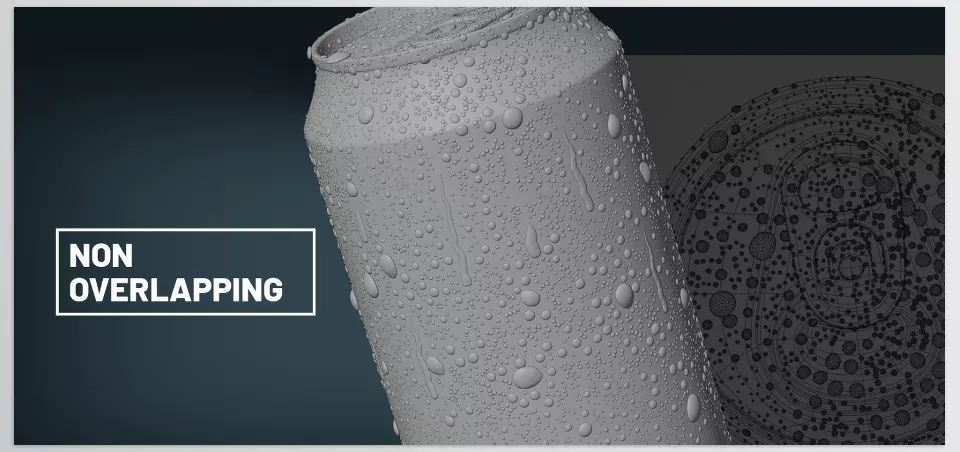
🔹 Smart, Non-Overlapping Distribution:
Droplets are placed intelligently to avoid intersections. Distances are calculated based on surface angles for a natural and clean result.
🔹 Complete Customization:
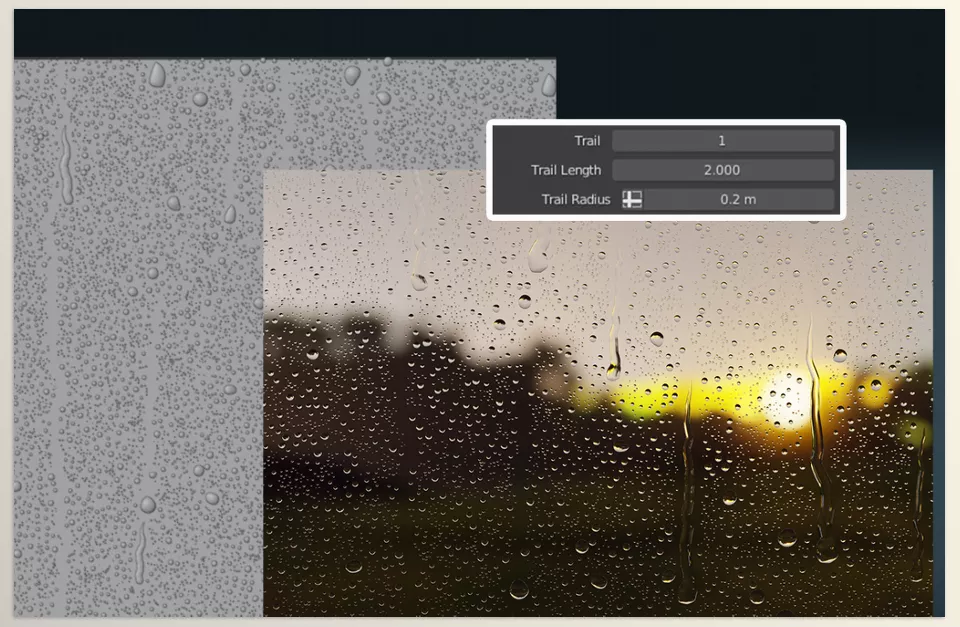
From size and density to stretching, thickness, and even droplet trails — every parameter is adjustable. Each slider directly affects the final look, allowing instant visual feedback.
🔹 Dedicated Droplet Shader:
Comes with a custom shader that handles reflection, refraction, and shadows better than standard materials. Designed to look great even in Eevee.
🔹 Animation Support (In Development):
You can animate droplets sliding or moving across surfaces. Currently works best on flat surfaces, with more advanced behavior planned for future updates.
🔹 Lightweight and Clean Output:
Since everything is procedural, your scene stays optimized. With one click, you can convert droplets to real mesh and export them to Maya, 3ds Max, or C4D.
🔹 Three Ready-to-Use Scenes:
Includes three sample scenes (Wet Leaf, Rainy Glass, and Droplets on Metal) so you can quickly get results and learn the settings.
🌧 Why It Matters
Droplet Generator acts as a “realism accelerator” for 3D scenes. When you want to evoke a sense of moisture, freshness, or rain, this tool works as a professional shortcut — speeding up workflow while keeping results natural and visually appealing. It proves that realism isn’t just about materials and lighting. Sometimes, a small detail like a droplet of water can completely transform the atmosphere of your scene.
💡 Pro Tips for Better Results
If you want your renders to look more natural and professional, here are a few small tricks that make a big difference:
🔹 Use Weight Maps:
Instead of covering the whole surface with droplets, use a Weight Map to control their distribution. For example, only make the center of a leaf wet or focus droplets on the edge of glass. This gives a more logical and visually appealing result.
🔹 Play with Proximity:
The Proximity setting defines how far apart droplets are. Too close looks messy and fake; too far makes the surface look empty. Find a balanced value for a naturally scattered rain look.
🔹 Ray Depth in Eevee:
When using Eevee, lower the Ray Depth in the droplet shader. This makes droplets look clearer, lighter, and better lit — especially in bright or studio scenes.
🔹 Long Droplets for Motion Feel:
Try Long Droplets for rainy or close-up scenes. They simulate sliding motion and bring a sense of life and dynamics to the image.
🔹 Don’t Forget Soft Lighting:
A gentle, angled light (like sunset light) enhances droplet reflections. Without good lighting, droplets lose half their visual impact.
🌈 When Real Moisture Enters the Scene
In the 3D world, it’s the small details that make the biggest differences. Droplet Generator is exactly that kind of detail — turning a dry, ordinary render into a vivid and emotionally rich image.
It may seem simple, but its results go far beyond a decorative effect. With it, you can convey wetness, freshness, and even temperature — things that usually take hours of material and lighting adjustments to achieve.
Whether you’re a commercial artist, animator, or beginner, Droplet Generator helps you add depth and life to your scene with just a few clicks. A compact yet powerful tool, perfect for when you want to bring realism to your renders. Not just an image — but the feeling of real moisture.
Take control of Blender like a pro—our ultimate guide to Blender tools shows you how each tool works, when to use it, and how to apply it in real-world scenarios.



