


Why Is Good Material So Important?
Do you have prior experience with the Eevee and Cycles Materials System? We all want our models and scenes to look “real” and alive in renders, not like cartoons or rough drafts. Achieving this photorealistic feel, especially when thousands of details like light reflections, metal scratches, wood textures, or precise plastic colors are involved, is not easy.
Often, we spend hours or even days fine-tuning colors, reflections, roughness, and lighting. Even when we think everything is perfect, the final render may still look artificial, or small details like natural dirt and surface scratches may be missing.
This issue becomes even more serious in large projects or when you need multiple objects with different but harmonious materials. A small change in the appearance of one object can disrupt the entire scene’s harmony, forcing you to adjust everything again.
That’s why having tools and systems that can quickly generate realistic, adjustable photoreal materials is a true lifesaver for 3D designers, artists, and animators. Without such assistance, even the most creative ideas can consume a lot of time and energy during manual material setup, reducing the final quality.

What Is Material and Why Is It Necessary?
In the 3D world, material is like skin and clothing for models. Simply put, a material defines how a surface reacts to light and what feeling it conveys.
More specifically, a material determines:
- Its color: light, dark, or multi-colored with complex patterns
- Glossiness or matte: smooth or rough surface
- Its type: metal, wood, plastic, glass, or even materials with unique properties
- How it reflects light: precise reflection, light scattering, and realistic depth
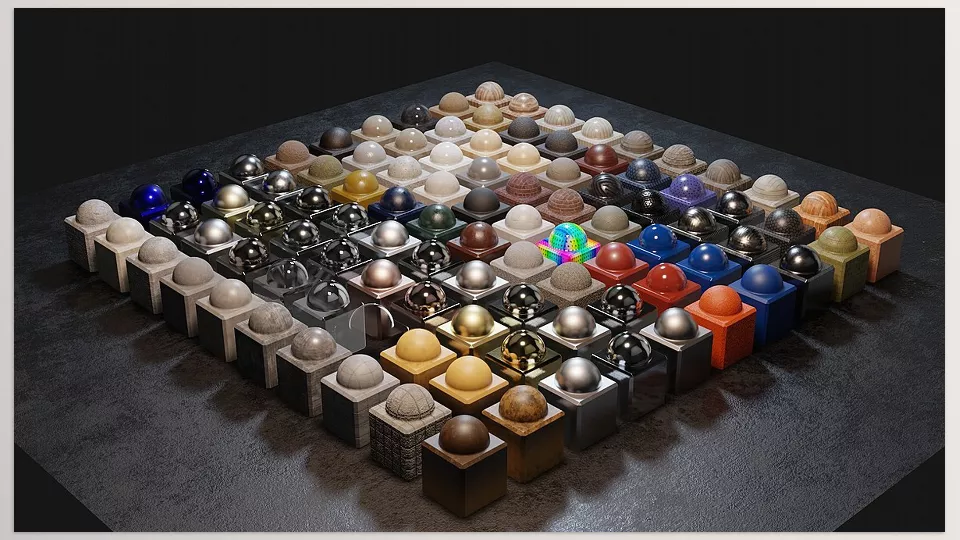
Concrete Example:
A brushed metal and a shiny metal are both metals, but when light hits them, they convey completely different impressions to the viewer. These subtle details make the scene not only more realistic but also richer in depth and detail.
In animation and design, good material can:
- Enhance the believability of motion and light: Realistic reflections make movement appear more natural
- Highlight model character and details: Scratches, natural dirt, and soft reflections bring models to life
- Speed up CMF (Color, Material, Finish) decisions: Choose the best combination without long trial and error
In short, material is the heart of any 3D scene; without it, even complex models look flat and lifeless.
Traditional Methods and Limitations
Before ready-made plugins and systems like “Eevee and Cycles Materials System” existed, creating photorealistic materials in Blender was really challenging. Every material had to be built from scratch, and adjusting colors, textures, and reflections could take hours.
To make a surface look realistic, you had to carefully set up Diffuse, Roughness, Normal, and sometimes even Height Maps. One small mistake was enough to make everything look artificial.
Adding natural details like scratches, dust, or imperfections was even harder, all done manually with trial and error. Any small change in material or lighting meant multiple test renders and repeated adjustments. It was exhausting and time-consuming.
Default Blender tools like Shader Editor, Texture Paint, and Node Editor are powerful and can produce professional results, but when projects grow large or include multiple objects with different materials, the process becomes long and stressful. Sometimes, the result was not what you expected.
In short, without a professional, ready-made system or plugin, achieving realistic and natural materials is both time-consuming and tedious, limiting your creativity.
Eevee and Cycles Materials System: Ready-Made Photoreal Materials
When it comes to professional and realistic rendering, choosing and creating materials is one of the most important parts. The EEVEE + Cycles Materials System is designed precisely for this: a complete, organized collection of photorealistic materials that makes your work fast, adjustable, and effortless.
What’s Inside the Eevee and Cycles Materials System?
Eevee and Cycles Materials System is a complete photoreal material toolkit that provides everything needed to create realistic, professional scenes:
Over 220 ready-made, categorized materials
- Metals: shiny, brushed, rusted, gunmetal, and other industrial metals
- Plastics: matte, glossy, with fine, realistic details
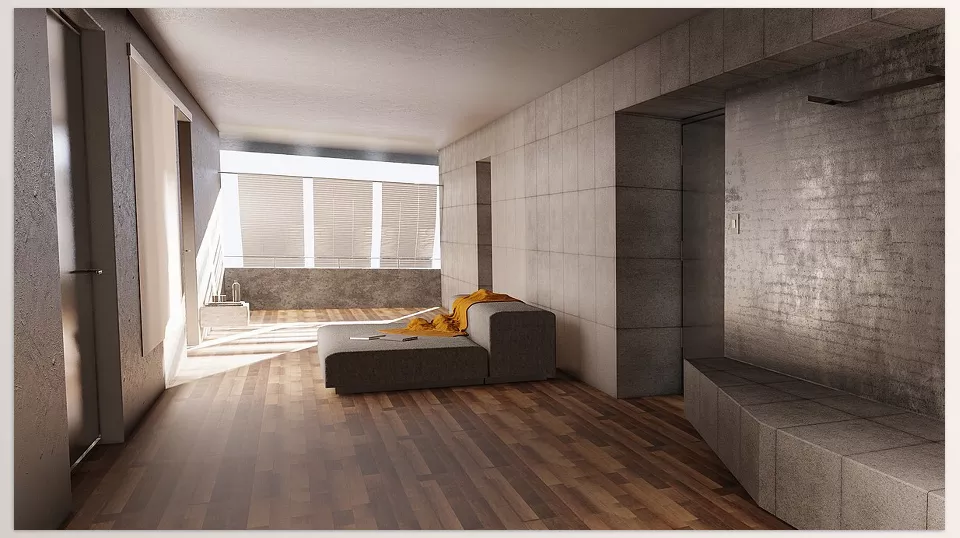
- Wood: with natural grains and textures, ideal for furniture and interior scenes
- Glass: transparent, colored, and holographic for windows, gadgets, and sci-fi scenes
- Car Paint: realistic automotive materials with reflections and a professional finish
- Sci-Fi and special materials: for futuristic and industrial design scenes
Multi-Material System
- Combine multiple materials on one surface to create more natural, worn, or “used” appearances
- Ideal for surfaces that should convey real-life usage and natural scratches
Dirt Group Node
- Add natural dirt, stains, shadows, and real height to any material
- No manual painting required; renders look more detailed and realistic
Edge Wear and Chipped Paint
- Create realistic edge wear and scratches on metals, paints, and various surfaces
- Helps objects convey a sense of time and use
Decals and Ready Details
- Includes stickers, logos, labels, and small patterns
- Can be applied to any surface without designing or UV mapping
Brushed Metal with Adjustable Rotation
- Brushed metals with direction control for a realistic effect
- Can be aligned with scene lighting and camera without extra effort
Eevee and Cycles Materials System is not just ready-made materials; it’s a complete system for creating realistic and adjustable appearances on any object. From fine details like scratches, dirt, and edge wear to holographic and industrial materials, everything is ready to use, eliminating hours of trial and error.
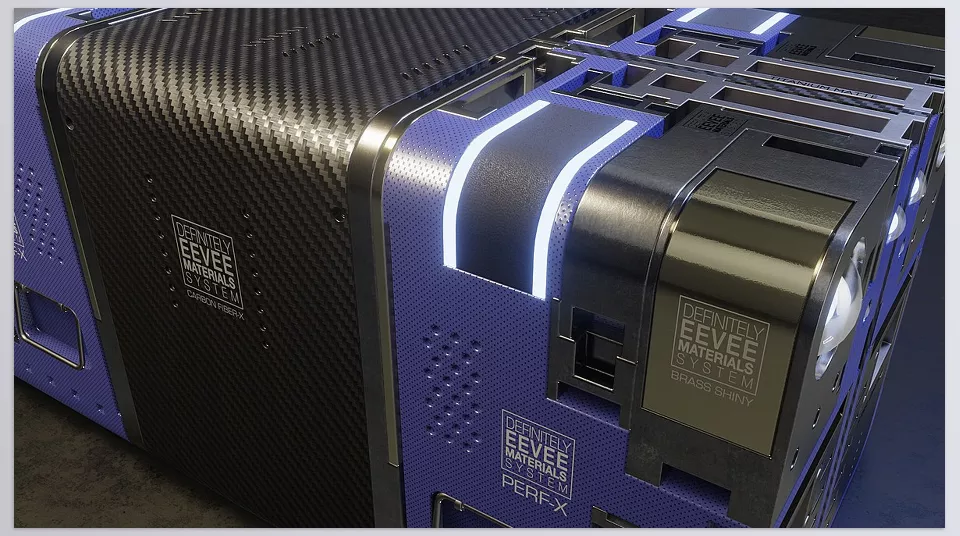
Why Eevee and Cycles Materials System Is Different
- No UV Mapping Required: Apply materials to any model, even complex ones
- Highly Customizable: Adjust light, reflections, roughness, dirt, and edge wear
- Compatible with Kit Ops (Free & Pro): Apply quickly to objects without hassle
- EEVEE and Cycles Ready: Use in viewport renders or final photoreal renders
Real-World Examples:
- For an industrial product render, select the appropriate material, add some dirt and edge wear, and it’s ready in minutes
- For cars or industrial equipment, ready-made car paints, gunmetal, and plastics save hours of manual work
- For sci-fi or interior scenes, from brushed and holographic metals to colored glass and special materials, everything is ready to use
In short, this product is a complete photoreal material toolbox that delivers everything needed for realistic, professional scenes. No more spending hours building each material or tweaking tiny details—just select and apply.
Pro Tips for Better Use
To get the most out of this photoreal material collection and make your scenes look more realistic and professional, here are some practical tips:
- Use the Dirt Group Node for depth and natural details
Adjust dirt amount and direction to bring surfaces closer to reality and convey wear - Combine similar materials for a more natural look
Layering materials on a surface creates non-repetitive, realistic textures, especially effective on large surfaces or close-up models - Fine-tune reflection and roughness for more realism
Small adjustments dramatically change how light interacts with surfaces, enhancing scene depth and believability - Start with free Kit Ops and progress gradually
Apply materials quickly with free Kit Ops, then explore advanced settings and combinations with the Pro version - Pay attention to small details like edge wear, scratches, and decals
Adding these details makes scenes more realistic; review models from multiple angles before final render - Smart use of Brushed Metal orientation
Align brushed metals with lighting and camera to achieve natural reflections and realistic metal effects
By following these simple yet professional tips, you can maximize the impact of materials, creating photoreal, natural, and compelling scenes without spending hours building materials from scratch.
The True Value of Photoreal Materials
Having ready-made photoreal materials is like having a professional toolbox always at hand—making your projects much easier, more realistic, and visually appealing. No more wasting hours creating each material from scratch or trial-and-error testing.
Whether you’re an industrial designer aiming for realistic product details and reflections or an animation/motion graphics artist seeking believable, captivating scenes, this tool helps you reach professional, reliable results faster.
Ultimately, using Eevee and Cycles Materials System speeds up your workflow and lets you focus on creativity and scene design, rather than the complexities of material creation. With this system, your projects will always look alive, natural, and visually stunning.
Ready to transform the way you work in Blender? Our in-depth Blender Tools guide not only explains how each feature works but also demonstrates practical applications that help you build real projects confidently.



