

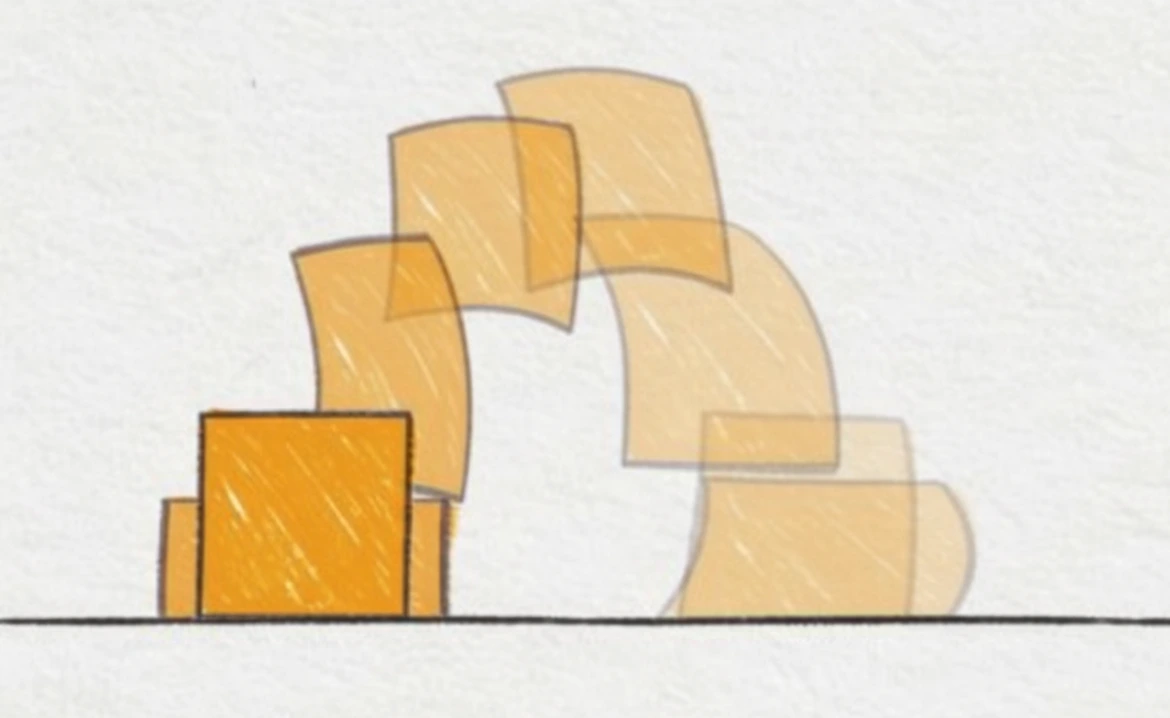
We Have Motion, But Where’s the Feeling?
Are you familiar with how the Squash and Stretch Pro Plugin works? Have you ever seen a text or logo appear on screen completely stiff? Just popping up, nothing else — no impact, no stretch, no sense of collision… as if it just slid onto the screen. This is where you realize that having motion and feeling real are not the same.
When you try to create these sensations yourself — for example, a ball hitting the ground and squashing before bouncing back, or text reacting subtly when entering — you need to set up tons of keyframes, tweak curves, test timing, and often redo everything multiple times. For even a small movement, sometimes it takes longer than the design itself.
Here’s the question: Why should a simple motion require so much complexity and time? Why does creating a natural and appealing feel have to be like writing code or formulas? And more importantly, is there a way to spend our time building ideas instead of building “motion”? ✨

🎯 Simple Definition of Squash, Stretch, and Motion Principles in Animation
Before diving into the details of each movement, here’s a key point: in animation, certain motion behaviors give an object or text a sense of reality and weight. These behaviors not only make movement feel natural but also help the audience connect with the scene subconsciously. There are four main behaviors every professional animator should know:
🔹 Squash
When an object is under pressure or collides with something, its size and shape slightly change.
Practical example: A ball flattens a bit when it hits the ground.
Purpose: Shows the weight and physics of the object, making collisions feel more real.
🔹 Stretch
An object stretches in the direction of motion to convey speed and acceleration.
Practical example: When an object moves quickly up or down, it appears slightly elongated.
Purpose: Emphasizes speed and direction, adding energy and momentum to the scene.
🔹 Bounce
The return of an object after an initial impact or movement.
Practical example: A ball bounces up after hitting the ground, or text enters a screen and slightly moves back and forth.
Purpose: Adds rhythm, natural motion, and playfulness to the scene.
🔹 Reaction
How an object responds to events around it.
Practical example: Text slightly shakes or shifts position when appearing next to another object.
Purpose: Creates interaction between elements, prevents motion from feeling robotic, and brings life to the scene.
Why They Matter:
These four small but vital behaviors help:
✔ Movements look natural and physical
✔ Maintain audience attention
✔ Convey emotion and energy through visuals
✔ Make scenes appear more professional and appealing
Ultimately, these four simple behaviors distinguish between stiff motion and a scene full of life and character. When applied correctly, even the simplest animations feel engaging and dynamic. ✨
🛠 When Everything Is Done Manually
In traditional animation, achieving natural motion like squash, stretch, bounce, and reaction requires creating and adjusting every detail manually:
- Setting dozens of keyframes: Even a simple movement may need separate keyframes for every important frame to look smooth and realistic.
- Adjusting curves in the Graph Editor: Speed, acceleration, and stops must be precise; even slight errors make motion look stiff.
- Testing timing repeatedly: Proper timing is essential for natural motion and often requires multiple iterations.
- Repeating everything for multiple objects: When multiple elements are on screen, each needs separate adjustments, and syncing them is time-consuming.
Default After Effects tools like Ease and Keyframes help smooth movements, but they have major limitations:
🚫 Cannot create personalized and natural motion
🚫 Do not handle interactions between multiple elements
🚫 Creating precise and smooth physical motion is still time-consuming and specialized
Result: Instead of focusing on ideas and creativity, most of the time is spent on setting keyframes, testing, fixing, and syncing.
For complex projects, this means hours of extra work — and even then, the output may not feel natural.
⚡ Introducing Squash and Stretch Pro Plugin — Behavior-Based Animation
💡 Squash and Stretch Pro Plugin is a smart animation assistant designed to create natural, lively, and professional motion with just a few clicks. In animation, creating squash, stretch, bounce, and reaction is usually time-consuming and complex, but this tool simplifies and speeds up the entire process.
Why is this tool so useful?
- In traditional methods, even small movements require dozens of keyframes, precise curve adjustments, and repeated testing.
- Syncing multiple objects is always challenging and sometimes takes hours.
- Even professionals spend multiple iterations refining motion for smooth and natural results.
Squash & Stretch solves this problem:
- Automatically creates stretched and squashed motion.
- Applies natural bounce and interaction between objects.
- Generates clean and editable keyframes, giving you full control.
- Simple and intuitive settings — adjust motion intensity, energy, and rhythm with a few sliders without confusion.
Key Features:
- 40 pre-designed behaviors in the Free version
- A strong base for a quick start
- Various motions: text entry, bounce, stretch, and subtle reactions
- Automatic adaptation to layer size and timing
- Syncs with existing keyframes in your scene
- No need to set everything from scratch
- Editable and flexible keyframes — customize and combine with other animations
- Audio effects synced to motion — some movements even come with natural sounds
- Simple and fast controls — adjust stretch, bounce, energy, and rhythm with sliders without expressions or complex settings
The Free version is enough to feel the difference from your very first project. Natural motion, character, and energy appear instantly, without spending hours keyframing, adjusting curves, or syncing layers. With the Squash and Stretch Pro Plugin, you can focus on ideas and creativity rather than technical details.
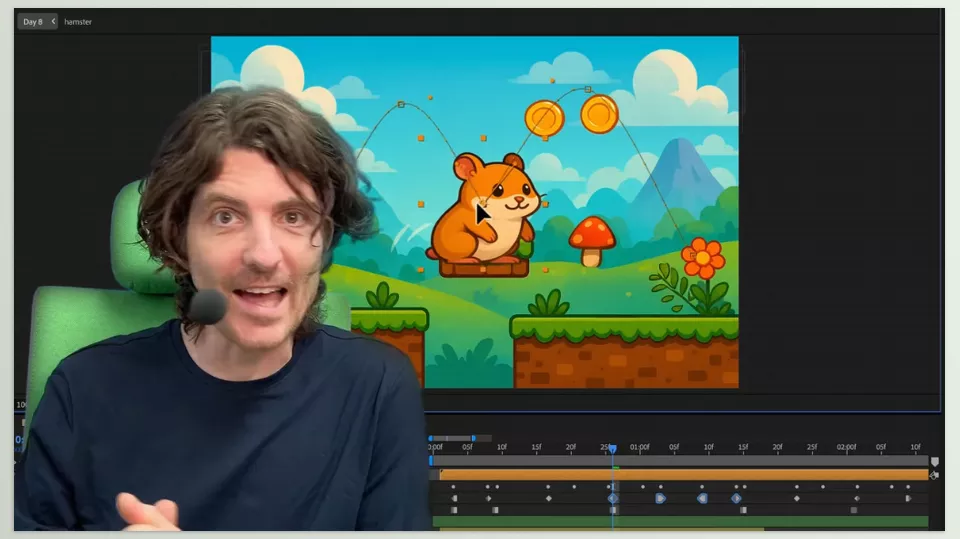
🧠 Pro Tips for Better Use
Even with a great tool, following a few small tips makes motion look more natural and professional:
- Add some randomness to behaviors: Motion that is too precise and repetitive looks robotic. Slight variations in intensity, duration, or timing make each execution feel unique and natural.
- Reduce motion intensity for the last words in text: When text appears sequentially, decreasing stretch and bounce for the last words keeps the rhythm smoother and easier on the eyes.
- Use reaction subtly, not just for visual shock: Reactions aren’t only for dramatic moments; even a small shake or slight backward motion can add finesse and life, improving interaction between elements.
- Don’t forget sound: Audio contributes half of an animation’s appeal. Even a short sound for bounce or stretch makes motion feel more real and draws the audience in subconsciously.
- Combine movements: Mixing squash, stretch, bounce, and reaction keeps the scene lively. The key is moderation — too much can feel unnatural.
- Small details have a big impact: Even a tiny motion in a corner, a subtle shake, or a slight stretch can make the whole scene feel more alive.
By following these tips, even simple movements gain character, making animations look highly professional and engaging. ✨
🚀 Animation Is More Than Motion
Animation is not just about moving objects; what really makes it appealing is rhythm, character, and the authentic feel of motion. Squash and Stretch Pro Plugin helps you build these sensations without spending hours on keyframes and the Graph Editor. Movements look natural, smooth, and well-timed — no more stiff, robotic scenes.
With the Squash and Stretch Pro Plugin, not only does workflow speed up, but output quality dramatically improves. Bounces, stretches, reactions, and multi-object coordination are intelligently handled, allowing you to focus on creativity and ideas instead of time-consuming technical details.
Therefore, if you’re a motion graphics artist, Squash and Stretch Pro Plugin is more than a time-saver; it’s a time-enhancing quality advantage. Where simple movements once appeared as mere images, they now pulsate, captivate, and possess an energy that transforms the rendered product into something professional and visually captivating. ✨
Discover the hidden potential of After Effects and its ecosystem of extensions, plugins, and scripts in our detailed guide about AE Tools, designed to help you transform your workflow and create professional-level results.



